














Why Ergonomics Matter: How Ergonomic Gaming Chairs Improve Your Posture and Performance

After a long gaming session, whether you’re gaming late at night, working from home, or switching between the two, you may start to notice stiffness in your neck or tension in your lower back. For UK gamers and hybrid workers, spending long hours at a desk makes proper sitting support more important than ever.
A lot of players assume comfort just means extra foam or how far the chair leans back, but that’s only half the story. What really counts is how the chair moves with you, how it matches your body instead of forcing you to match it. A good ergonomic gaming chair doesn’t shout “high-tech”. It just helps you sit right, keeps your balance in check, and lets you stay focused when the match gets serious.
What Ergonomics Really Means
People often treat ergonomics like some kind of luxury feature. It really isn’t. Ergonomics is about understanding how your body sits and moves, and how good design can reduce unnecessary strain during long gaming or working sessions. For UK gamers and home-office users, an ergonomic gaming chair can make it easier to maintain a balanced posture throughout the day, whether you’re playing, working remotely, or moving between the two.
You notice the difference in small ways: your back settles in without effort, your shoulders stop tensing, your weight feels evenly spread out. Stay like that for a few sessions, and you’ll realize why posture and comfort matter more than flashy looks—especially when the game runs long.
The Hidden Cost of Poor Posture
Bad posture doesn’t hit all at once. It builds slowly. You start leaning forward to see better, rounding your shoulders, and your muscles begin fighting gravity. The result can be tension across your neck, pressure in your lower back, and discomfort after long periods at your desk. For UK gamers and people working from home, these habits can easily become part of the daily routine when gaming and work happen in the same space.
For competitive players, that discomfort does more than hurt physically. It eats into consistency. You can’t play your best when half your attention is on how uncomfortable you feel.
How a Gaming Chair Improves Your Posture
Think of an ergonomic gaming chair as a quiet teammate. Every piece—from the lumbar support to the armrests—has a role in helping you maintain a more balanced sitting position. This matters particularly when one chair is used for several hours of gaming, remote work, studying, or other desk-based activities.
Lumbar Support:
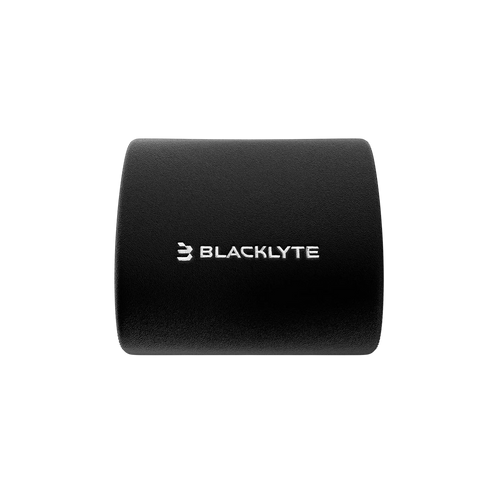
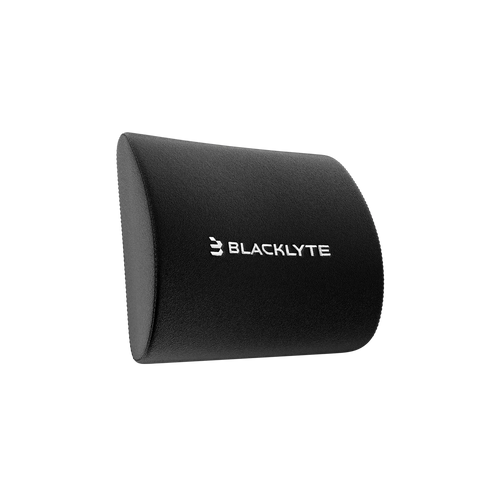
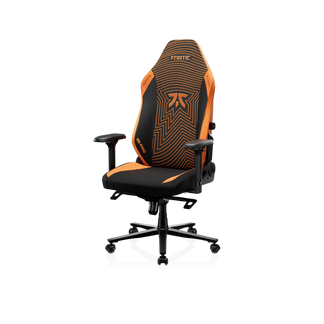
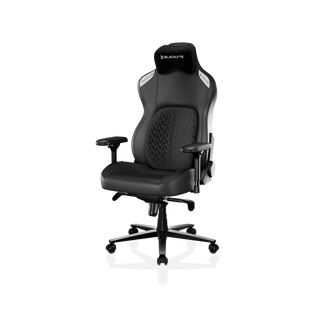
Your lower back carries the weight of every sitting hour. A supportive lumbar system maintains the spine’s curve and prevents slouching. The Blacklyte Athena Pro top-rated gaming chair takes it a step further with adaptive lumbar support that helps support the natural curve of your lower back and encourages a more upright sitting position.
Headrest:
A headrest stabilizes the neck and reduces pressure on the upper spine. The adjustable and magnetic headrests on Blacklyte ergonomic computer chairs let you find the perfect angle for long sessions, whether you’re gaming or editing.
4D Armrests:
Your arms and shoulders can also become uncomfortable during extended mouse and keyboard use. 4D armrests allow you to adjust height, width, depth and angle to better match your desk setup. The Kraken Pro is particularly suited to users who spend long periods gaming or working at a desk, while the Athena provides a simpler adjustable armrest setup for everyday gaming and home-office use.
Recline & Tilt:
Staying in one position for too long can make any chair feel uncomfortable. Recline and tilt functions allow you to change your sitting position throughout a long gaming or working session, helping you avoid staying completely static at your desk.
Setting Up Your Chair for Balance
Even the best ergonomic gaming chair can only work effectively when it is adjusted to your setup. Sit back fully so your lower back meets the lumbar support, adjust the armrests to your desk height, and position the headrest to support your neck comfortably. Keep your feet supported and position your monitor at a comfortable viewing height. These adjustments are particularly useful when your gaming chair also doubles as a home-office chair.
Choosing the Right Ergonomic Gaming Chair
Choosing the right ergonomic gaming chair depends on how you use it. UK gamers who also work or study from home may need a chair that can comfortably support several hours of desk use each day. Consider lumbar support, seat comfort, armrest adjustment, recline range and upholstery before choosing a model. Blacklyte’s UK range includes the Athena, Athena Pro and Kraken Pro, giving users different levels of ergonomic support for gaming, work and hybrid setups.
And honestly, after three hours, you’ll stop thinking about colour or looks. What matters then is how comfortable the material feels, how the padding holds up, and whether you can tweak the height or tilt without thinking twice.
Conclusion
Comfort is not a luxury—it's an advantage. And for gamers, ergonomic design isn't optional—it's essential. Your setup says a lot about how seriously you take your craft. A fast processor helps your game run smoother; a well-designed gaming chair helps you perform better. At Blacklyte UK, ergonomic design is built into every gaming chair, from the Athena to the Athena Pro and Kraken Pro. The goal is simple: help UK gamers and home-office users create a more comfortable setup for the hours they actually spend at their desks.


