














Buying a Desk and Chair Together vs Separately: The Real Trade-Offs
Should you buy a gaming desk and chair together or separately? Buying both at once can simplify compatibility checks and may unlock bundle savings, while purchasing separately gives you more flexibility to manage your budget and prioritize your needs.
The right choice depends on your current setup, budget, and how well the desk and chair work together. From desk height and chair adjustability to total cost and future upgrades, this guide breaks down the real trade-offs to help you build a gaming or home office setup that works for you.
Buying a Desk and Chair Together vs Separately: A Quick Comparison
Before deciding, compare the practical advantages of each approach. Neither option is automatically better. The best choice depends on whether you are starting from scratch, replacing an existing product, or upgrading your workspace over time.
| Factor | Buying Together | Buying Separately |
| Overall costs | May offer bundle discounts or combined promotions | Lets you spread purchases across different budgets |
| Compatibility | Makes it easier to evaluate desk and chair dimensions together | Requires you to check measurements and adjustment ranges independently |
| Product selection | May limit you to available bundle combinations | Gives you more freedom to choose individual models |
| Setup planning | Helps you plan your workspace as a complete system | Allows you to build around your existing equipment |
| Upgrade flexibility | Convenient if both products need replacing | Useful if one product needs upgrading before the other |
| Shopping convenience | Fewer separate purchasing decisions | More time may be needed to compare specifications |
The takeaway: If you need both products, compare the total price of a suitable combination with the cost of purchasing them individually. If your current chair or desk still works well, replacing only the item that needs attention may be the more practical choice.
When Buying a Desk and Chair Together Makes Sense
Buying a desk and chair together is worth considering when you are creating a new gaming setup, furnishing a home office, or replacing both products at the same time.
You Want to Check Compatibility from the Start
A coordinated purchase gives you the opportunity to evaluate desk height, chair adjustment, surface dimensions, and available space before committing to either product. This is particularly useful if you use multiple monitors, a monitor arm, a desktop PC, or other equipment that affects your workspace layout.
However, purchasing from the same brand does not automatically guarantee a perfect fit. You should still check the specifications of each model and confirm that the desk and chair suit your body proportions and intended use.
You Can Benefit from a Bundle Offer
Buying together may reduce the overall cost when an eligible bundle promotion is available. It can also simplify the process of comparing the products you need for a complete setup.
Before purchasing, compare the actual bundle price with the combined individual prices. Check which products are included, whether the promotion applies to your preferred models, and whether delivery costs or other conditions affect the final total.
Explore the Blacklyte Bundle & Save offers to check the currently available desk and chair combinations. Confirm the applicable products and savings before ordering.
You Are Building a Workspace from Scratch
If you do not already own a suitable desk or chair, choosing both together allows you to plan your setup around a shared set of requirements.
Start by considering how you work or play. Competitive gaming may call for a different layout from programming, creative work, or general office use. Think about the equipment you need to accommodate, how much space you have, and whether you want the flexibility to alternate between sitting and standing.
Planning these requirements before shopping can help you avoid choosing a chair that does not fit comfortably beneath your desk or a desk that cannot accommodate your equipment.
When Buying a Desk and Chair Separately Makes More Sense
Buying separately can be the better option when you already have a functional product, have a specific model in mind, or need to prioritize spending.
You Only Need to Replace One Product
If your existing desk provides enough space and the correct working height, there may be no reason to replace it simply because you are buying a new chair. The same applies if your chair still suits your needs but your current desk lacks sufficient surface area or height adjustment. Replacing one item at a time allows you to focus your budget on the upgrade that will make the biggest practical difference to your setup.
For example, if your current chair offers limited lumbar adjustment, you could prioritize a chair with support features that better match your preferences. If your desk is too small for your monitors and accessories, upgrading the desk may be the more immediate priority.
You Have Specific Requirements for Each Product
Some users need a particular chair design, upholstery material, lumbar support system, or armrest configuration. Others prioritize desktop dimensions, height adjustment, cable management, or the capacity to support multiple monitors.
Buying separately gives you more freedom to compare these specifications independently rather than choosing from a limited set of combinations.
This flexibility is especially useful if you have an unusual desk layout, limited room, or equipment that requires specific measurements. Just remember to verify compatibility before making the final purchase.
You Prefer to Spread Out Your Spending
Purchasing separately can make it easier to manage your budget over time. You can invest in the product that matters most now and upgrade the other later.
The trade-off is that prices, product availability, and promotions may change between purchases. If you plan to buy both items eventually, compare the current bundle price with the likely cost of purchasing each product individually before deciding.
The Desk and Chair Compatibility Checklist
Whether you buy together or separately, compatibility should be based on measurements and practical use rather than appearance alone. Use this checklist before placing an order.
Desk Height and Chair Seat Height
Check whether the desk's height range works with your chair at a comfortable seated position. Your feet should be supported, your shoulders relaxed, and your forearms comfortably positioned while using the keyboard and mouse.
If the desk is too high or too low for your preferred seated position, you may need to adjust the chair, use a suitable footrest, or choose a desk with a more appropriate height range.
For a height-adjustable desk, also consider whether the minimum and maximum heights suit the people who will use it. A wider adjustment range can provide greater flexibility, but the actual fit depends on your body proportions and setup.
Lumbar Support and Armrest Adjustability
A chair should provide support that fits your body and preferred sitting position. Compare the lumbar support design, backrest shape, seat dimensions, and available adjustments rather than assuming one type of support is universally better.
Armrests also need to work with your desk. Check whether their height and position allow you to sit close enough to the desk without forcing your shoulders upward or preventing the chair from moving beneath the desktop.
If you are comparing chairs with different adjustment systems, review the manufacturer's specifications to understand what each model actually offers.
Desktop Size and Monitor Placement
Measure the space required for your monitors, keyboard, mouse, speakers, and other accessories. Leave enough room for comfortable use and movement rather than selecting a desk based on its overall width alone.
Desktop depth is particularly important if you use large monitors or a monitor arm. The available space affects how you can arrange your equipment and position your screen.
Before buying, check the dimensions of the desktop and any monitor arm or accessories you intend to install. Make sure the mounting method is compatible with the desk's construction and edge design.
Cable Management and Power Features
Cable management can make a workspace easier to organize, particularly when you use multiple monitors, a desktop PC, chargers, and other peripherals.
Compare the actual cable-management features of each desk instead of assuming that every model includes the same equipment. Depending on the product, these features may include a cable tray, integrated cable routing, or a power supply column.
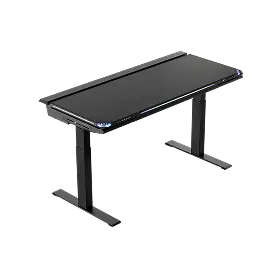
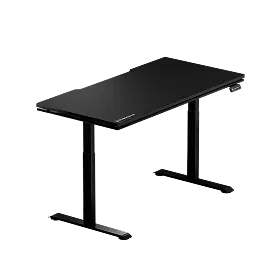
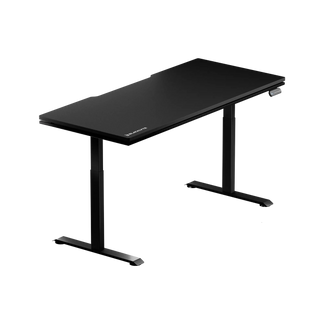
For example, the Blacklyte Atlas Desk and Blacklyte Atlas Lite Standing Desk should be evaluated against their individual specifications. Check the relevant product page for the exact power and cable-management configuration before purchasing.
Weight Capacity and Available Space
Consider the combined weight of your monitors, monitor arms, computer equipment, speakers, and other items that will sit on the desk. Check the manufacturer's stated weight capacity and any applicable conditions for using the desk's adjustment mechanism.
You should also measure the space available in your room, including clearance for the chair to move and for the desk to operate throughout its height range.
A well-planned setup should accommodate your equipment without making everyday movement awkward or restricting access to other parts of the room.
How Blacklyte's Lineup Supports Both Approaches
Blacklyte offers gaming chairs and height-adjustable desks that can be evaluated individually or as part of a broader workspace upgrade. The most suitable combination depends on your priorities, the dimensions of your setup, and the features you need.
Choosing a Gaming Chair
If you are prioritizing a chair upgrade, compare models based on their support systems, materials, cushioning, and adjustment options.
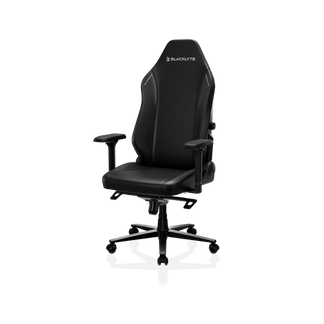
Blacklyte Athena Pro Gaming Chair
The Athena Pro features a four-way adjustable built-in lumbar support system, a dual magnetic head pillow, and dual-layer memory foam cushioning. Its FlexKnit and DuraGen materials offer another consideration when comparing upholstery and seating feel. It is worth evaluating if personalized lumbar adjustment and cushioning are high on your list of priorities.
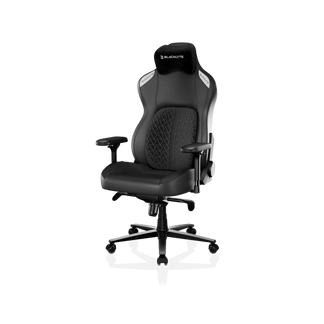
Blacklyte Kraken Pro Gaming Chair
The Kraken Pro features DuraGen upholstery, a magnetic curved head pillow, and dynamic air lumbar support. These features give it a different approach to back support and seating comfort from the Athena Pro.
Compare the two models' actual features and materials to decide which design best suits your preferences and daily routine. You can also browse the Blacklyte Gaming Chairs Collection to explore additional options.
Choosing a Height-Adjustable Desk
If your desk is the priority, consider the size of your workspace, the equipment you need to support, and how often you want to alternate between sitting and standing.
The Blacklyte Atlas Desk and the Atlas Lite Standing Desk are options to compare when planning a height-adjustable workspace. Review their respective desktop dimensions, height ranges, weight capacities, and cable-management features to determine which model suits your requirements.
A height-adjustable desk can make it easier to change working positions during the day. Pairing it with a suitably adjusted chair gives you more flexibility to adapt your workspace to different tasks.
Deciding Whether to Buy a Combination
If you need both a chair and a desk, compare the available combinations and calculate the final cost against buying the products separately. Consider compatibility, delivery arrangements, product availability, and the features included with each model.
If only one item needs replacing, start with that product and confirm that it works with your existing equipment. You can then upgrade the other item when your needs or budget change.
The goal is not to buy the most products at once. It is to build a workspace that fits your requirements without paying for features or equipment you do not need.
The Verdict: It Depends on Your Situation, Not a Universal Rule
Buying a gaming desk and chair together can simplify planning and may offer bundle savings when an eligible promotion is available. Buying separately gives you more control over your budget, product selection, and upgrade schedule.
Before making your decision, check desk height, chair adjustment options, desktop dimensions, weight capacity, and the space available in your room. These practical details matter more than whether the products are purchased in one order or two.
If you are upgrading both items, compare suitable Blacklyte desk and chair combinations and check the current Bundle & Save offers. If you only need one upgrade, prioritize that purchase and verify compatibility before choosing the second product.
The best setup is the one that fits your space, supports your daily activities, and works within your budget.
Frequently Asked Questions
Is it cheaper to buy a gaming desk and chair together?
It can be, but the savings depend on the available bundle promotion and the products included. Compare the final bundle price with the combined individual prices, including delivery costs and any applicable conditions.
Should I buy a gaming chair or desk first?
Prioritize whichever item is limiting your current setup. If your chair lacks the adjustments or support you need, start with the chair. If your desk is too small or does not suit your working height, upgrading the desk may make more sense.
How do I know if a gaming chair will fit under my desk?
Check the chair's overall height, armrest height, and dimensions against the desk's clearance. If you want to slide the chair beneath the desktop, make sure the armrests can clear the underside of the desk at your preferred chair height.
Is a height-adjustable desk worth it for gaming and working?
A height-adjustable desk gives you the flexibility to alternate between sitting and standing. Whether it is worth the investment depends on your routine, budget, and preference for changing positions throughout the day.
Can I mix a gaming chair and desk from different brands?
Yes. Products from different brands can work well together if their dimensions, adjustment ranges, and intended use are compatible. Always check the specifications of both products before purchasing.
What should I check before buying a desk and chair bundle?
Check the exact products included, their dimensions, adjustment options, weight capacity, cable-management features, final price, delivery conditions, and return policies. Do not assume that all available combinations include identical features or discounts.


