
















Best Gaming Desk for Small Spaces: Compact Setup Guide for Clean and Efficient Gaming Rooms

Small gaming setups usually start with a simple idea, especially when choosing a gaming desk for small room layouts or planning a minimalist setup that fits limited space. A desk goes into the room, a monitor sits on top, and the rest is filled in later. At that stage, everything seems manageable. But once the setup is actually in place, the feeling changes a bit. The space doesn’t necessarily get smaller, but it starts to feel more “used” than expected. Things sit closer together. The surface fills up faster. Even a setup that looks clean at first can slowly feel less comfortable to stay in for long sessions. That’s typically when people start paying attention to the desk itself.
Why Small Gaming Setups Feel More Crowded Than They Are
In most cases, the room isn’t the real limitation. It’s how the setup occupies it. A desk that slightly overreaches into the room can shift the entire visual balance. A monitor placed without much thought to distance can make the space feel more compressed. Even cables, when left unmanaged, tend to build visual noise over time. None of these issues usually feels serious on its own. They’re small adjustments that don’t seem urgent. But together, they change how the setup feels each day. This is why choosing a well-designed space-saving gaming desk matters more than simply reducing its size.
What Matters More Than Gaming Desk Size
Most people start by looking at dimensions, but size alone doesn’t explain how a setup will feel once it’s built. A compact gaming desk needs to do more than just “fit” into a room. A proper ergonomic gaming desk for a small room setup should balance usable space, monitor distance, and posture support rather than focusing only on compact dimensions. It’s more about whether everything fits in a comfortable way. If the monitor is placed too close, the desk starts to feel tighter almost immediately. Most ergonomic guidelines recommend a viewing distance of 50–70 cm (20–28 inches) to reduce eye strain and maintain a comfortable field of view. When space for keyboard and mouse is limited, movement also feels restricted over time. But shrinking everything down doesn’t always help either. A setup that’s too tight can actually feel more cluttered in daily use. What usually works better is leaving just enough space so things don’t feel forced or crowded.
Best Gaming Desk Sizes for Small Rooms (40–55 Inch Setup Guide)
Small rooms don’t follow strict rules, but certain desk sizes show up more often in setups that feel balanced. Compact layouts often sit somewhere around 40 to 48 inches. That range tends to leave enough space for a single monitor and daily peripherals without overwhelming the room. In most gaming desks for small room setups, this range provides a good balance between comfort and space efficiency, especially for users looking for a space-saving gaming desk solution. Once the setup expands slightly, the 48 to 55-inch range becomes more flexible. It doesn’t feel tight, but it also doesn’t dominate the space. In real small-room setups, corner desks appear frequently. In many compact layouts, users naturally move their desk toward corners to free up central walking space, even if that wasn’t the original plan.
Which Gaming Desk Size Should You Choose
The best gaming desk size depends on how the setup is actually used rather than just its physical dimensions. A 40–42 inch desk is typically suitable for minimal setups such as a laptop or a single monitor configuration, but space can quickly become limited when additional peripherals are introduced. A 44–48 inch desk is widely considered the most balanced option for small gaming rooms. It provides adequate space for a standard keyboard (approximately 45 cm), mouse movement, and appropriate monitor distance while maintaining efficient use of limited room space. For more advanced setups, a 48–55 inch desk offers greater flexibility. It allows better separation between devices, reduces surface clutter, and improves comfort during extended use without overwhelming smaller rooms.
Why Blacklyte Gaming Desks Work for Small Gaming Spaces
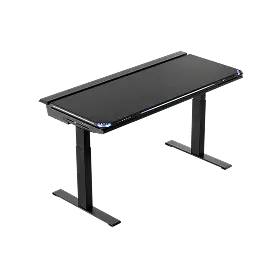
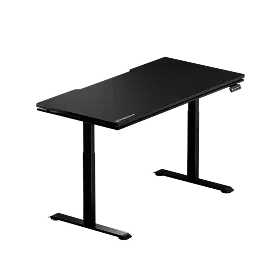
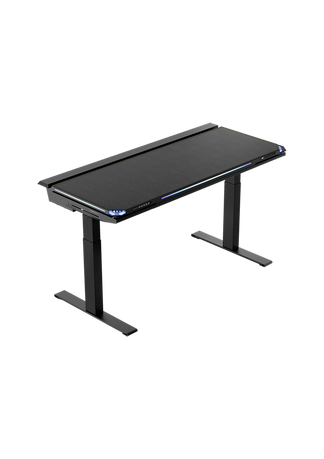
The Blacklyte gaming desk provides a structured workspace solution for compact gaming setups, where layout efficiency matters as much as physical size. In everyday use, the Blacklyte gaming desk fits naturally into small gaming setups where space needs to be managed more intentionally. The solid desktop surface provides stability, while built-in cable management helps reduce visual clutter over time. Its dual-motor system enables smooth and quiet height adjustments, making it practical for compact rooms where both flexibility and comfort matter.
A 55-inch Blacklyte gaming desk is often a well-balanced choice for small spaces. It offers enough surface area for a full gaming setup without overwhelming the room, making it a practical middle point between compact efficiency and long-term usability.
How Gaming Desk Design Affects Small Space Efficiency
Even when two desks share the same dimensions, the actual setup experience can be very different. Some designs are built to guide how space is used, while others rely entirely on the user to manage it. In smaller gaming setups, this difference becomes more noticeable over time. A structured desk—with thoughtful layout, surface organization, or cable routing—usually helps keep things cleaner without constant adjustments. Without that structure, even a properly sized desk can gradually become cluttered as items start to spread out. This is why desk design matters just as much as physical size when working with limited space.

How Monitor Placement Affects Small Gaming Desk Space and Comfort
In compact setups, the monitor often becomes the visual center of the entire space. If it sits too close, the desk immediately feels smaller. If it sits too low, posture becomes harder to maintain for long sessions. And when the stand is bulky, it takes up space that could otherwise be used more efficiently. This is one of the reasons monitor arms appear so often in small setups. They don’t change the room, but they change how the space is used. Once the screen is lifted, the desk usually feels more open without any actual change in size. These adjustments are especially important in a minimalist gaming setup desk, where every element affects visual and physical space.
How Cable Management Improves Small Gaming Desk Organization
Cable clutter rarely feels urgent at the beginning. Most setups start clean. Over time, though, cables begin to spread. A charger here, a monitor cable there, and eventually the desk starts to look more complex than it actually is. In small setups, this effect is stronger because there’s less visual space to absorb it. Even minor clutter becomes noticeable faster. Keeping cables grouped and hidden doesn’t change the function of the setup, but it does change how the space is perceived.
How to Prevent Small Gaming Desk Setups From Becoming Cluttered
Most compact gaming setups don’t become messy in one step. They shift gradually. A slightly bigger accessory gets added. A cable gets left out. A monitor gets repositioned without much thought. Individually, none of it feels important. But over time, the setup slowly loses clarity. That’s usually the point where people start reconsidering the layout or the desk itself, even if nothing is technically “wrong.”
Final thoughts
A small gaming space doesn’t require a perfect setup, but it does respond quickly to small decisions. The best gaming desk for small spaces isn’t simply the smallest option available. It’s the one that fits the room without forcing everything else into awkward positions. When the desk, monitor, and layout work together instead of competing for space, even a compact setup can feel more stable and easier to use over long sessions. This is why gaming desks like Blacklyte tend to be a better fit for small gaming setups.


