














What Size Gaming Desk Do You Need? A Practical Guide for Real Setups

Choosing a gaming desk might seem straightforward, but once you start thinking about your room and setup, it gets tricky. Is a 120cm (47 inches) desk enough for a small bedroom? Would a 160cm (63 inches) desk leave enough space to move around? There’s no universal size that works for everyone. It all comes down to your setup, your room, and how you game. Competitive players, casual gamers, and streamers all have different needs. This guide will give you practical advice to pick a gaming desk that fits your space comfortably.
Start With Standard Gaming Desk Sizes
Most gaming desks fall within a predictable size range. Understanding these basics helps you narrow things down quickly.
Common widths:
- 120cm (47 inches): Compact, space-saving
- 140cm (55 inches): Balanced for single or light dual-monitor setups
- 160cm+ (63+ inches): Ideal for dual monitors or ultrawide displays
Common depths:
- 60–61cm (23–24 inches): Compact desks
- 69–76cm (27–30 inches): More comfortable for long sessions
- 76cm+ (30+ inches): Ideal for larger monitors and streaming gear
Standard height:
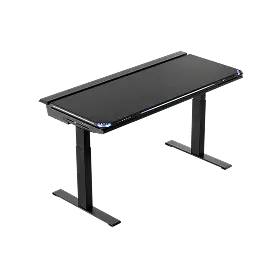
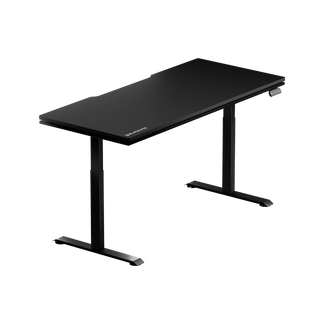
Most fixed desks are around 72–76cm (28–30 inches) high, which suits an average seated gaming posture. For more flexibility, height-adjustable desks—like the Blacklyte Atlas Electric Gaming Desk—let you change the height at the push of a button, ranging from 72cm to 137cm (28–54 inches).
Width gets most of the attention, but depth quietly makes a huge difference in comfort. We’ll come back to that.
Choosing the Right Gaming Desk Size for Your Setup
Your equipment should determine your desk size—not aesthetics alone.

Desk Sizes for Single Monitor Setups
If you use one 24–27” monitor and keep your PC tower off the desk, a 120–140cm (47–55 inches) gaming desk is usually enough for most UK bedroom or home-office setups. This gives you room for: A full keyboard and mouse pad; Comfortable mouse movement; Small accessories like speakers or a controller dock.
For a smaller bedroom, a 120cm (47 inches) desk can work well, while a 140cm (55 inches) desk usually gives you noticeably more room for your monitor, keyboard and mouse.
Desk Sizes for Dual Monitor Setups
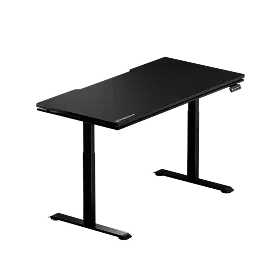
Dual monitors change the equation quickly. Two 24” monitors plus their stands take up more horizontal space than most people expect. A 140cm desk can work, but it can feel tight once you add two monitors, speakers and other accessories. The Blacklyte Atlas Lite Gaming Desk is available in 120cm, 140cm, 160cm and 180cm, providing extra surface area and depth to help reduce clutter and improve comfort.
A 160cm (63 inches) desk gives you more balanced spacing, room for speakers or accessories, less visual clutter, and more flexibility for future upgrades. If you already know you want dual monitors, 160cm (63 inches) is usually the comfortable minimum.
Finding the Right Desk for Ultrawide or Triple Monitors
Ultrawide monitors look clean—but they’re wide. Pair that with speakers or mounted accessories, and surface space disappears fast. For a 34”–49” ultrawide or triple-monitor setup, a desk around 160–180cm (63–71 inches) wide is generally a better choice. Depth also matters more here, since larger screens need a proper viewing distance. Trying to squeeze a large display onto a shallow desk often leads to eye strain and awkward posture.
Best Gaming Desk Sizes for Streaming and Content Creation
Streaming and content creation setups need more than just width—they need flexibility. Between a mic arm, camera, lighting, and audio gear, space can get tight fast. A desk around 160cm (63 inches) wide with at least 70cm (28 inches) of depth tends to provide enough room for a microphone arm, camera, lighting and other streaming gear.
Why Desk Depth Matters for Comfortable Gaming
Depth is the most underrated dimension when choosing a gaming desk. A desk that’s too shallow can cause:
- Monitors sitting too close
- Limited wrist support
- Restricted mouse movement
If you play competitive games with low DPI, you already know how much horizontal space your mouse needs. But forward space matters too. You want enough room to rest your forearms naturally without feeling crowded. A good guideline: your monitor should sit roughly an arm’s length away. If your desk depth doesn’t allow that comfortably, it may be too shallow. For long sessions, around 70–80cm (28–31 inches) of depth tends to feel significantly better than a compact 60cm (24 inches) desk.
How Your Room Size Affects Desk Choice
Your room size plays a big role in choosing a desk. It’s one of the key factors in choosing the right gaming desk for both comfort and space efficiency. Even a perfectly sized gaming desk can feel off if it takes up too much space. For smaller UK bedrooms, 120–140cm (47–55 inches) tends to work best, while medium-sized rooms can comfortably accommodate desks around 140–160cm (55–63 inches) wide. In bigger rooms, wider desks won’t crowd the space. A simple way to test is to mark the desk’s footprint on the floor. This makes it easy to judge how much room you’ll have for your chair, moving around, and keeping your PC ventilated.
Choosing Between Fixed and Adjustable Gaming Desks
A desk around 72–75cm (28–30 inches) high works well for most seated gaming setups, but adjustable desks like an electric gaming desk allow you to switch between sitting and standing effortlessly. If the desk will be used by multiple users or if you’re taller or shorter than average, a height-adjustable gaming desk gives you more comfort. Standing for part of your gaming or work session is another perk. Understanding the benefits of standing gaming desks can also help you decide if this type of desk fits your daily routine. Even so, stability should never be sacrificed—no amount of adjustability makes up for a wobbly desk.
Common Mistakes When Choosing Gaming Desk Size
Here are a few sizing mistakes that happen often:
1. Buying Too Small to “Save Space”: Compact desks look clean in product photos. In real use, they can feel restrictive within weeks.
2. Forgetting Future Upgrades: Many gamers add a second monitor later. Planning for growth avoids replacing the desk entirely.
3. Ignoring Depth: A wide desk that’s too shallow still feels uncomfortable.
4. Overestimating Room Space: Large desks can overpower small bedrooms quickly.
Conclusion
Your ideal desk depends on your setup and the space you have. A single-monitor setup in a smaller room generally works well with a 120–140cm (47–55 inches) desk. Dual-monitor setups are more comfortable at around 160cm (63 inches), while ultrawide, triple-monitor and streaming setups may benefit from 160–180cm (63–71 inches) of desk width. For depth, around 70cm (28 inches) or more gives you better space for your monitor, keyboard and mouse. The goal is a gaming desk that fits your space, supports your setup, and leaves room to move naturally. Options like Blacklyte Gaming Desks provide adjustable heights, ample surface area, and durable construction to suit a variety of gaming setups.


