













The Ultimate Guide to Perfect Posture for Gaming: Science-Backed Ergonomics for Elite Performance
Imagine you are five hours into a ranked gaming session or a long evening working from home in the UK. The clutch moment arrives, your crosshair is locked, but a persistent ache in your lower back or tension in your neck breaks your concentration. For gamers balancing competitive play, work and everyday screen time, poor posture can quickly become a problem.
The key to better gaming posture isn't forcing yourself into a rigid, uncomfortable position. It's about creating a dynamic, neutral alignment that supports your spine, keeps your shoulders relaxed and helps you stay comfortable through long gaming and working sessions.
The Danger of the Ranked Slouch: Why Your Current Posture Destroys Your Performance
When intense matches trigger your adrenaline, your head naturally juts forward toward the monitor. Your shoulders round inward, your upper back curves like a C, and your core muscles completely disengage.
While slouching might feel relaxed for the first ten minutes, it shifts the entire weight of your upper body off your skeletal framework and dumps it directly onto your spinal ligaments and discs. Your head weighs roughly 10 to 12 pounds in a neutral position. For every inch it drifts forward, the relative load on your neck muscles doubles.
This mechanical stress triggers what physical therapists call upper crossed syndrome. It leads to chronic muscle fatigue, tension headaches, and a severe drop in fine-motor precision. When your body is fighting structural strain, your brain diverts neural energy away from fast-twitch hand-eye coordination to keep your posture stable. Bad mechanics directly compromise your response time.
The Myth of the Perfect 90-Degree Angle: What the Science Actually Says
For years, standard office ergonomics has promoted the rigid "90-90-90 rule"—keeping your hips, knees and elbows at roughly 90 degrees. However, this approach isn't necessarily ideal for long gaming sessions or extended desk work.
A seminal magnetic resonance imaging (MRI) study conducted by radiological researchers found that sitting at a strict 90-degree angle actually produces the highest level of spinal disc compression and height reduction. The study revealed that the lowest spinal load occurs when the backrest is slightly reclined between 100 and 110 degrees.
Leaning back slightly preserves the natural lordotic curve of your lumbar spine and opens up the pelvic angle. This position reduces intradiscal pressure while keeping your eyes perfectly level with your display. For active, fast-paced play styles, aiming for a 100 to 110-degree recline is the ideal baseline. You can reserve deeper reclines of 120 degrees or more for casual cutscenes or reviewing your match VODs.
Building Your Postural Foundation: From the Ground Up
Ergonomics is a systematic ecosystem that builds from the floor upward. If your feet are dangling or tucked awkwardly under your seat, your pelvis rotates backward, flattening your lower spine and forcing an automatic slouch.
To build a comfortable ergonomic baseline for a UK gaming or home-office setup:
- Stabilise Your Feet: Your feet should rest flat on the floor or on a suitable footrest. If your desk or chair height doesn't allow this, adjust the setup rather than letting your feet hang.
- Anchor Your Hips: Slide your hips fully back into the chair so your lower back stays supported by the lumbar area.
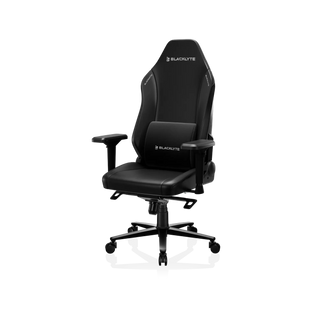
- Choose the Right Support: An ergonomic gaming chair can provide the adjustable back, lumbar and arm support needed for long gaming sessions and extended desk work.
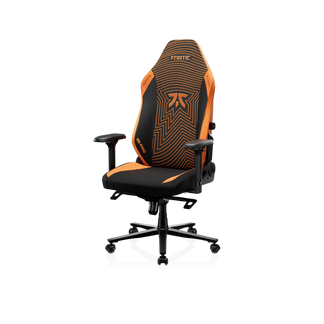
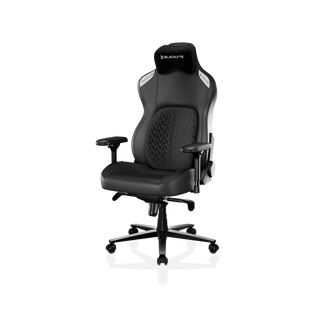
For competitive players seeking top-tier adjustment options, models like the customizable Blacklyte Athena Pro feature integrated, adaptive lumbar systems. These systems fill the structural gap at your beltline without forcing an unnatural arch. If you require deep, high-density foam contours tailored for extended competitive play, the Blacklyte Kraken Pro provides deep structural support that cradles your thoracic spine through hours of continuous action.
Calibrating Your Arm-to-Mouse Chain for Flawless Aim
Your mouse and keyboard are direct extensions of your gaming setup. If your desk is too high, your shoulders may rise towards your ears, creating unnecessary tension. If it is too low, you may lean forward and place additional strain on your wrists.
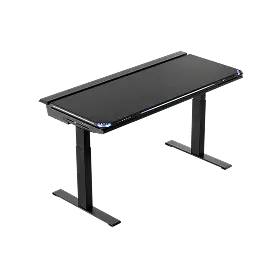
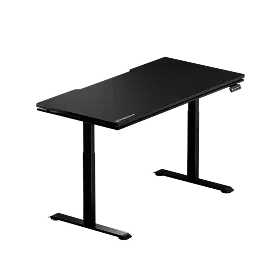
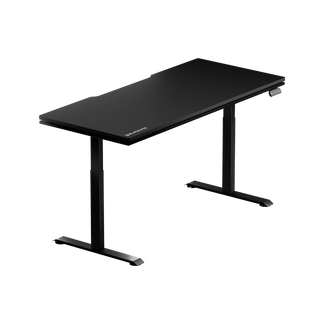
For a UK home office or gaming setup, adjust the desk so the surface sits around your natural elbow height when your shoulders are relaxed. Your forearms should remain roughly parallel to the floor or angle slightly downward by around 5 to 15 degrees. A height-adjustable gaming desk makes it easier to fine-tune this position for your body and switch between sitting, standing and different activities throughout the day.

Pairing your chair with a height-adjustable workstation makes it easier to maintain this alignment throughout a gaming or working session. A premium adjustable gaming desk lets you fine-tune the surface height to your preferred elbow position, creating a more consistent aiming and working surface. This layout provides a perfectly flat, unrestricted aiming platform, giving low-sensitivity arm-aimers the massive horizontal sweep space they need for flawless 180-degree turns.
The 20-8-2 Approach: Fighting Static Fatigue with Active Microbreaks
Even with a flawless ergonomic setup, human bodies are not engineered to remain completely stationary for hours at a time. Static posture cuts off local blood circulation, causes metabolic waste to pool in your muscles, and stiffens your joints.
To maintain peak mental focus and physical responsiveness, try the 20-8-2 approach during longer gaming or work sessions: for every 30 minutes, spend around 20 minutes sitting in a neutral posture, 8 minutes standing, and 2 minutes moving.
During those 2 minutes, perform these two simple exercises directly at your desk to reverse the physical strain of your match:
- The Chin Tuck: Sit up tall, look straight ahead, and pull your head straight back as if making a double chin. Hold for 5 seconds and repeat 10 times. This actively counteracts forward-head drift.
- Shoulder Blade Squeezes: Drop your arms to your sides, pull your shoulder blades down and back together tightly, as if trying to pinch a pen between them. Hold for 5 seconds and repeat 15 times to open up a tight chest.
By systematically adjusting your setup, configuring your workspace layout around your body, and building healthy operational habits, you remove the physical stress that hinders your performance. Take control of your ergonomics, safeguard your health, and let your raw skill shine completely unhindered.
Frequently Asked Questions
1. Can a good gaming posture actually improve my in-game aim and reaction times?
Yes. When your spine is properly aligned, your body expends minimal energy keeping you upright. This leaves your nervous system fully unhindered to focus on rapid hand-eye coordination. Proper forearm and wrist positioning removes structural tension, allowing for cleaner muscle memory and more precise flick shots.
2. Is sitting at a perfect 90-degree angle the healthiest option for long sessions?
No. Modern biomechanical research and MRI data show that a strict 90-degree sitting posture causes significant spinal disc compression. Reclining your backrest slightly between 100 and 110 degrees reduces stress on your lower back while keeping your gaze naturally level with your screen.
3. How high should my monitor be to prevent chronic neck pain?
The top third of your gaming monitor should line up exactly with your direct horizontal eye level. This positioning ensures your eyes look slightly downward at the center of the display, which matches your body's natural resting gaze and prevents you from tilting your chin up or leaning your neck forward.
4. What is the main difference between an office chair and an ergonomic gaming chair?
Premium gaming chairs are specifically engineered to provide continuous support through extended sessions. They feature high backrests that fully stabilize your shoulders and neck, alongside highly adjustable 3D or 4D armrests that align with your desk. Traditional office chairs often lack this level of targeted adjustment.
5. How often should I stand up or stretch during an extended session?
You should aim to stand up and move around every 30 to 60 minutes. Utilizing the 20-8-2 approach—standing for 8 minutes and actively moving or stretching for 2 minutes out of every half hour—is an excellent way to maintain healthy blood flow and prevent muscle stiffness during long queues.


