













How Wide Should a Gaming Chair Be?
For many adults, a gaming chair seat width of 20 to 22 inches offers a comfortable balance of support and movement. The right number still depends on your seated hip width, body weight, sitting style, and the chair’s side bolsters.
Measure your hip breadth while sitting, then choose a usable seat width that gives your outer thighs room. A practical rule is to add 4–6 inches to your seated hip measurement for the overall seat width, while keeping at least 2–3 cm of clearance before the bolsters on each side.
A gaming chair can look wide on a spec sheet and still feel restrictive. Advertised width often includes raised seat edges, meaning the usable flat width may be 2–4 inches narrower. During long gaming or work sessions, that difference matters.
Why Gaming Chair Seat Width Matters
A narrow seat pan presses into the outer thighs, creates pressure points, and may restrict blood flow. A poorly sized chair can leave you with numb thighs and shoulder tension after long hours of sitting.
Too wide is not automatically better. When adjustable armrests sit too far from the body, your arms drift outward, your shoulders no longer stay relaxed, and reaching the desk becomes harder. Over extended periods, this position may contribute to neck strain and poor posture.
OSHA’s neutral-posture guidance recommends supported feet, thighs generally parallel to the floor, a supported back, and elbows close to the body at roughly 90–120 degrees. Seat width, armrest range, seat height, and desk distance therefore need to work together.
The same basic ergonomics apply whether you are comparing a gaming chair, office chair, or other ergonomic chairs.
How to Measure Your Ideal Seat Width
Sit on a firm, flat chair while wearing the clothes you normally use for gaming. Keep your feet flat on the floor and allow your legs to rest naturally rather than squeezing them together.
Measure the widest point across your hips or outer thighs. This is your seated hip breadth.
| Measurement | What to look for |
| Seated hip width | Your starting point for proper fit |
| Usable flat seat width | Hip width plus movement space |
| Bolster clearance | About 2–3 cm or more on each side |
| Overall seat width | Often 4–6 inches wider than hip width |
| Seat depth | A 1–2 inch gap behind the knees |
| Seat height | Feet flat and thighs near parallel to the floor |
Do not measure only the widest outside edge of the seat. Look for the flat width between the side bolsters. If the brand does not publish that figure, check its dimension diagram, product manual, or customer support.
The average gaming chair seat width commonly falls around 16 to 20 inches. A width of 20 to 22 inches is a useful adult benchmark when more comfort and movement are priorities. XL and big-and-tall gaming chair models may offer widths over 21 inches.
These figures are shopping benchmarks rather than universal ergonomic standards. Your body measurements should make the final decision.
Seat Depth Is the Other Half of Proper Fit
Width controls side-to-side pressure. Seat depth determines whether you can use the backrest without the seat edge pressing behind your knees.
Buttock–popliteal length is measured from the back of the buttocks to the back of the knee. It is one of the most important measurements for determining seat depth. Popliteal height runs from the floor to the underside of the thigh behind the knee and helps determine an appropriate seat height.
A seat that is too deep pushes you away from the lumbar support and encourages slouching. One that is too shallow leaves the thighs unsupported.
Cornell’s ergonomics guidance notes that excessive seat depth can prevent a user from properly using the backrest. UCLA recommends leaving roughly 1–2 inches between the seat edge and the back of the knees.
Check the Backrest, Lumbar Support, and Armrests
A good gaming chair size supports more than your hips. Backrest height should support the body from the waist toward the neck. Tall users should check that the backrest reaches the upper thoracic spine instead of ending too low.
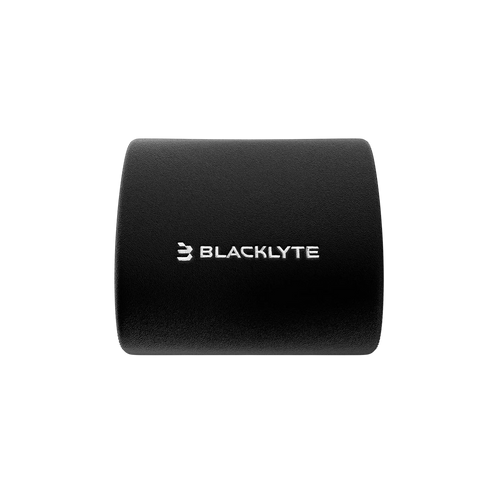
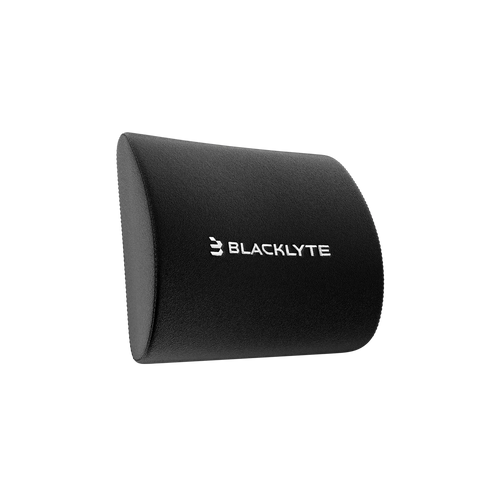
Lumbar support should meet the natural curve of the lower back. A rough starting zone is 10–20 cm above the seat pan, but torso length varies. Adjustable lumbar height and depth are therefore more useful than a fixed cushion.
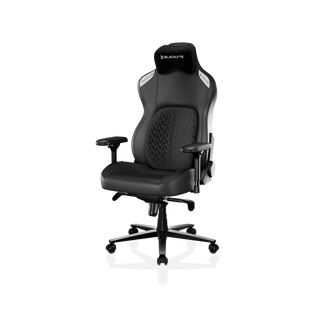
The Blacklyte Athena Pro Gaming Chair combines 4-way built-in adjustable lumbar support, dual-layer memory foam, and 4D adjustable armrests for long gaming and work sessions.
For broader or heavier users, a wide, flat-style seat frame generally provides more movement than aggressive side bolsters. The Blacklyte Kraken Pro Gaming Chair uses a broader reinforced frame, heavy-duty Class 4 gas lift, aluminum wheelbase, and dynamic lumbar support for larger body types.
A Class 4 hydraulic gas piston is a useful durability signal, but it does not tell the whole story. Check the rated capacity, steel frame construction, base material, foam density, and resistance to repeated loading cycles and dynamic loading.
Some big-and-tall gaming chairs advertise weight capacities up to 395 lbs. Always confirm the current rated capacity on the spec sheet and choose a chair rated comfortably above your body weight. High-density foam is also important because it resists compression and maintains its shape over long periods.
The Practical Rule Before You Buy
Choose a chair by usable seat width, not marketing claims.
Your hips should fit without touching hard bolsters. Your feet should rest flat on the floor. Your lower back should meet the lumbar curve, while the armrests support your arms without lifting or spreading your shoulders.
For a faster comparison, explore the Blacklyte gaming chair collection and use the Blacklyte chair parameter comparison. Check each chair’s flat width, seat depth, height range, back height, arm height, weight capacity, and lumbar features.
The perfect fit is not simply the widest chair. It is the chair that supports your body without squeezing your thighs or forcing you into one sitting style.


