














Gaming Computer Desks: What Separates a Real One From a Repainted Office Desk
At first glance, a gaming computer desk and a standard office desk may look almost identical. Both provide a surface for your monitor, keyboard, mouse, and other equipment. The difference often comes down to how well the desk supports your specific setup.
A desk designed for a multi-device gaming environment may offer more suitable dimensions, dedicated cable management, flexible mounting options, or electric height adjustment. However, the label “gaming desk” does not automatically guarantee better construction or performance. A well-designed office desk can be just as suitable if it meets your requirements.
So, what should you look for when choosing a gaming computer desk? This guide breaks down the features that matter, explains how to compare specifications, and helps you decide whether a dedicated gaming desk is the right investment for your setup.
The Label Problem: Marketing vs. Engineering
The term “gaming desk” covers a wide range of products, from basic fixed-height tables to electric standing desks with integrated accessories. Appearance alone does not tell you how well a desk will perform. RGB lighting, gaming-inspired finishes, and branded accessories may appeal to certain users, but they do not establish a desk's stability, load capacity, or long-term suitability.
Instead of judging a desk by its category, compare its specifications against the equipment you plan to use.
| Feature | What to evaluate | Why it matters |
| Desktop dimensions | Width, depth, and usable surface area | Determines how your monitors and peripherals fit |
| Frame construction | Frame design, support structure, and published stability information | Helps you assess whether the desk suits your equipment |
| Load capacity | Maximum supported load and applicable conditions | Helps ensure your equipment stays within the desk's limits |
| Cable management | Cable trays, grommets, and routing options | Keeps cables organised and reduces desktop clutter |
| Surface material | Finish, texture, durability, and maintenance requirements | Affects everyday usability and appearance |
| Height adjustment | Fixed or adjustable height, adjustment range, and controls | Determines how easily the desk can accommodate different working positions |
A dedicated gaming desk may combine several of these features, but not every user needs every feature. The right choice depends on your setup, available space, budget, and preferred working position.
Factor 1: Surface Area for Multi-Monitor Setups
One of the first things to consider is whether the desk provides enough usable space for your equipment. A single-monitor setup may fit comfortably on a relatively compact desk. Two large monitors, a desktop PC, speakers, a microphone, and other accessories require more careful planning.
Desktop Width
Desk width determines how much room you have to arrange your monitors and other equipment. As a starting point, a desk around 55–60 inches wide may suit many dual 27-inch monitor setups. Larger displays, multiple monitor stands, or additional peripherals may require a wider surface.
Before choosing a desk, measure the actual width of your equipment rather than relying on monitor size alone. Screen sizes are measured diagonally, so two 27-inch monitors do not necessarily occupy 54 inches of horizontal space.
Consider:
- The physical width of each monitor.
- The gap between displays.
- The space occupied by monitor stands or mounting hardware.
- The room needed for your keyboard and mouse.
- Any additional accessories, such as speakers, a microphone, or a laptop.
A monitor arm can free up space that would otherwise be occupied by monitor stands, although the arm itself still needs suitable mounting space and clearance.
Desktop Depth
Depth is just as important as width. A desk that is wide enough for two monitors may still leave limited room for a keyboard, mouse, or other equipment if the surface is too shallow.
A depth of around 28–30 inches can provide a useful starting point for many gaming setups. Your ideal depth depends on monitor size, viewing distance, mounting method, and how much working space you need.
Before purchasing, check that you can position your monitors comfortably while keeping frequently used equipment within easy reach.
Planning for Future Equipment
Your current setup may not be your final one. You might eventually add a second monitor, upgrade to a larger display, or introduce a microphone arm or additional accessories. If you expect your setup to grow, consider whether the desk offers enough flexibility for those changes.
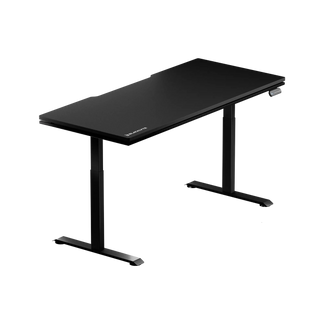
Blacklyte's Atlas Desk has a 59.1 × 27.6-inch desktop, while the Atlas Lite Standing Desk is available in multiple sizes, including wider and deeper configurations. Compare the available dimensions with your equipment measurements before deciding which model fits your workspace.
The objective is not to buy the largest desk available. It is to choose a surface that accommodates your setup without leaving you short of usable space.
Factor 2: Frame Construction and Load Capacity
A desk must support the equipment placed on it, but maximum load capacity alone does not tell you everything about its construction or stability. A desk supporting a lightweight laptop and one monitor has different requirements from a setup containing several displays, a desktop tower, monitor arms, speakers, and other accessories.
Calculate Your Equipment Load
Start by estimating the combined weight of the equipment that will sit on or attach to the desk.
Include:
- Monitors and their stands or mounting arms.
- Your desktop PC, if it sits on the desktop.
- Speakers, microphones, and other accessories.
- Any additional equipment mounted to the desk.
Then compare the total with the manufacturer's stated load capacity and its applicable conditions. For height-adjustable desks, check whether the published capacity refers to the maximum distributed load and whether the desk's own desktop and installed accessories affect the usable capacity.
Do not assume that two desks with the same maximum load rating will behave identically. Frame design, support placement, assembly, floor conditions, and how the load is distributed can all influence the desk's behaviour.
Understand Stability Beyond the Numbers
A desk's stability depends on more than the maximum weight it can support. The frame structure, leg design, connection points, desktop dimensions, and placement of heavy equipment all influence how the desk behaves during use. When comparing desks, review the manufacturer's specifications and look for clear information about the frame, support structure, and stability.
Once the desk is assembled, follow the manufacturer's installation instructions and check that its fasteners are secure. If you notice excessive movement, investigate the assembly, floor surface, and equipment placement rather than assuming that the load rating alone explains the issue. For a multi-monitor setup, also confirm that your monitor arm is compatible with the desktop and that its mounting clamp can be installed correctly.
The practical rule: choose a desk with a suitable published load capacity and a frame design that matches your equipment. Do not rely on a single number or a visual inspection alone to judge overall quality.
Factor 3: Integrated Cable Management
A gaming setup can accumulate power cables, display cables, USB connections, charging leads, and peripheral wiring surprisingly quickly. Without a plan, these cables may take up useful desktop space, become difficult to access, or interfere with desk adjustments.
Cable management is therefore worth considering when comparing desks, but the presence of a cable tray or grommet does not automatically mean a desk has every feature you need.
Look for Practical Cable Routing
Useful cable management features may include:
- Cable trays: Help organise cables and suitable power accessories beneath the desktop.
- Cable grommets: Provide routing points through the desktop where included.
- Cable clips or channels: Help keep individual cables in place.
- Accessible routing paths: Make it easier to add, remove, or replace equipment.
The right combination depends on your setup. A user with one monitor and a laptop may need little more than a simple routing solution, while a multi-monitor desktop setup may benefit from more structured cable management.
Consider Height-Adjustable Desks
If you choose an electric standing desk, cable routing requires additional attention because the desktop moves. Before securing your cables, raise the desk to its highest position and check that all connections have enough slack. Make sure cables do not become taut, snag on the frame, or interfere with the desk's movement.
Repeat the check after changing your monitor position or adding new equipment. Blacklyte's Atlas Desk and Atlas Lite Standing Desk both offer integrated cable management features. The Atlas Desk also lists an integrated power supply column, while the Atlas Lite has its own configuration and feature set. Check the current product specifications to confirm which features are included with your chosen model.
The important distinction is between a desk that helps organise cables and one that includes specific power features. Do not assume the two are interchangeable.
Factor 4: Surface Material and Edge Design
The desktop is the part of the desk you interact with every day. Its material, finish, and edge profile affect appearance, maintenance, and how comfortable it feels during normal use.
Surface Finish
Different desktop finishes suit different preferences and environments.
When comparing materials, consider:
- How easily the surface can be cleaned.
- Whether the finish suits your mouse and other peripherals.
- Resistance to everyday scratches and marks.
- How the surface looks alongside the rest of your setup.
- The manufacturer's cleaning and maintenance recommendations.
A gaming-themed finish is not necessarily more durable than a conventional office finish. Review the actual material and product specifications instead of judging quality by appearance alone.
Edge Profile
The front edge of the desk can influence how the surface feels when you rest your forearms against it. Some users prefer a rounded or bevelled edge, while others prefer a more defined profile. Your preferred option depends on your working position, the way you use the desktop, and personal comfort.
When possible, consider the edge design alongside your usual keyboard and mouse position. A desk should provide enough room to work without forcing you to lean against an uncomfortable edge.
Surface Features and Accessories
Some desks include additional features such as magnetic accessories, lighting, or compatible mounting options. These features can be useful, but they should support your actual needs rather than determine the purchase on their own.
For example, integrated lighting may appeal to users who want a coordinated gaming setup, while someone prioritising a minimalist workspace may care more about surface dimensions and cable routing. Evaluate each feature according to how you intend to use the desk.
Factor 5: Height Adjustability
A fixed-height desk can work well if its height suits your chair, equipment, and working position. A height-adjustable desk offers more flexibility when you want to change the working height or alternate between sitting and standing. Whether that flexibility is worth paying for depends on your routine.
When a Height-Adjustable Desk Makes Sense
An electric standing desk may be worth considering if you:
- Want to switch between seated and standing positions.
- Share a workspace with someone who needs a different desk height.
- Need more flexibility when positioning your keyboard and monitor.
- Prefer electric controls for adjusting the desktop.
- Want to adapt your workspace as your equipment or working habits change.
Height adjustment does not automatically make a desk more suitable for everyone. A well-sized fixed-height desk may be sufficient if it already meets your requirements.
Check the Adjustment Range
Before buying an adjustable desk, check the minimum and maximum desktop heights. The appropriate range depends on your height, chair, footwear when standing, keyboard position, and other equipment.
When seated, aim for a working position that allows your shoulders to remain relaxed and your elbows to sit comfortably near your sides. When standing, adjust the desktop to a similarly comfortable position rather than relying on a preset height without checking the fit. If you use monitor arms, ensure that the screens can remain in a suitable position as the desk moves.
Compare Adjustment Features
Other features worth checking include:
- Electric versus manual adjustment.
- Available height range.
- Number of height presets.
- Published lifting capacity.
- Frame design and available stability information.
- Cable management and installation requirements.
These features should be evaluated together. A desk with a wider adjustment range may not be the best choice if its desktop dimensions or mounting options do not suit your setup.
Blacklyte's Atlas Desk and Atlas Lite Standing Desk offer different height ranges and frame configurations. Compare the specifications for each model and size to determine which option matches your requirements.
When an Office Desk Is the Better Choice
A gaming desk is not automatically the right purchase for every gamer. A standard office desk may be a good fit if it already provides enough space, supports your equipment, and allows you to work comfortably.
For example, you may not need a dedicated gaming desk if:
- Your current desk comfortably accommodates your monitors and peripherals.
- You do not need electric height adjustment.
- Your cable management needs are minimal.
- You prefer a simpler appearance without gaming-specific features.
- A suitable office desk offers better value for your requirements.
Likewise, a gaming desk may not be the right choice simply because it has RGB lighting or a gaming-inspired design. Focus on specifications, usable space, stability, cable management, and the features you will actually use. The most suitable desk is the one that meets those requirements, regardless of the category printed on its product page.
How to Choose the Right Gaming Computer Desk
Before making a purchase, use this checklist to compare your options.
1. Measure Your Setup
Record the dimensions of your monitors, keyboard, mouse, PC, and other equipment. Check that the desk has enough width and depth for the complete arrangement.
2. Check Load Capacity
Estimate the combined weight of your equipment and compare it with the manufacturer's published capacity. Follow any conditions that apply to distributed loads or mounted accessories.
3. Review Frame Construction
Look for clear information about the frame, support structure, and stability. Confirm that the desk is suitable for your equipment and intended use.
4. Evaluate Cable Management
Decide whether you need a cable tray, grommets, additional routing options, or integrated power features. Verify which components are included rather than assuming they come with the desk.
5. Choose the Right Surface
Compare desktop dimensions, material, finish, and edge design. Consider how these features will work with your peripherals and daily routine.
6. Decide Whether Height Adjustment Is Necessary
If you want to alternate between sitting and standing, check the adjustment range and controls. If you prefer a fixed-height desk, prioritise dimensions and working position instead.
7. Compare the Complete Product Specifications
Review the product page, included accessories, assembly requirements, and applicable warranty terms. Make sure you understand what is included before placing an order.
Comparing Blacklyte Desk Options
Blacklyte offers desk options for users with different workspace requirements. The Atlas Desk and Atlas Lite Standing Desk share a focus on adjustable workspaces, but their specifications and included features differ.
Atlas Desk
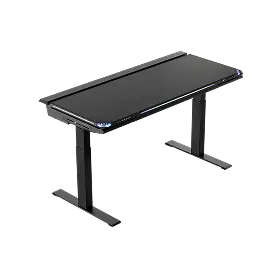
The Atlas Desk combines electric height adjustment with a desktop designed for a gaming and productivity workspace.
Its listed features include:
- A 59.1 × 27.6-inch desktop.
- A three-stage leg design.
- An adjustment range of approximately 28.3–53.9 inches.
- A maximum distributed load of 275.6 lb (125 kg).
- An integrated power supply column and cable management features.
- An integrated LED lighting system.
These specifications make it worth considering if you want a height-adjustable desk with integrated features. Confirm the current UK product listing for the exact configuration, included accessories, and applicable warranty terms before purchasing. Explore the Blacklyte Atlas Desk to review its current specifications.
Atlas Lite Standing Desk
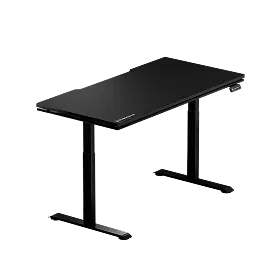
The Atlas Lite Standing Desk offers a different combination of desktop sizes, frame configuration, and height adjustment.
Depending on the selected size, the listed features include:
- Multiple desktop dimensions.
- A two-stage leg design.
- An adjustment range of approximately 27.6–46.1 inches.
- Different maximum distributed loads by size.
- Integrated cable management features.
Because its specifications vary by configuration, check the dimensions and load capacity of the exact size you intend to purchase. Also verify the included features rather than assuming that every Atlas Desk feature is available on the Atlas Lite. Explore the Blacklyte Atlas Lite Standing Desk to compare the available options.
Which Model Should You Choose?
The Atlas Desk may suit users who want its specific combination of integrated features, three-stage legs, and published adjustment range. The Atlas Lite may be worth considering if its available desktop sizes and specifications better match your room and equipment. Neither model is automatically the right choice for every setup.
Compare the dimensions, height range, load capacity, cable management features, and total cost before deciding. The best option is the one that fits your equipment and working preferences without requiring features you do not need.
Frequently Asked Questions
What separates a gaming desk from an office desk?
A gaming desk may offer features suited to multi-monitor setups, such as a larger desktop, cable management, monitor mounting compatibility, or height adjustment. However, these features are not exclusive to gaming desks. Compare the specifications rather than relying on the product category alone.
What size desk is best for a gaming computer setup?
The ideal size depends on your monitor configuration, PC placement, and other equipment. A desk around 55–60 inches wide may suit many dual 27-inch monitor setups, but you should measure the actual dimensions of your displays and accessories before buying.
How much weight should a gaming desk support?
There is no single load capacity that suits every setup. Add the weight of your monitors, PC, mounting hardware, and other equipment, then compare the total with the manufacturer's stated capacity and applicable conditions.
Is an electric standing desk worth it for gaming?
It may be worthwhile if you want to adjust the desk height or alternate between seated and standing positions. If you are satisfied with a fixed-height desk that suits your working position, electric adjustment may not be necessary.
Is cable management important for a gaming desk?
Cable management can help keep the desktop organised and make it easier to maintain your setup. Its importance depends on the number of devices you use and whether you need to move the desk or frequently change equipment.
Is a gaming desk better than a regular office desk?
Not necessarily. A suitable office desk can work well for gaming if it provides enough space, supports your equipment, and meets your other requirements. A dedicated gaming desk is worth considering when its features offer practical advantages for your particular setup.
Final Thoughts
The difference between a suitable gaming computer desk and an unsuitable one is not simply its appearance or product label. What matters is how well the desk supports your equipment, provides usable space, manages cables, and accommodates your preferred working position.
Before buying, measure your setup, check the load capacity and frame specifications, review the available cable management features, and decide whether height adjustment is useful for your routine.
Blacklyte's Atlas Desk and Atlas Lite Standing Desk offer different combinations of dimensions, adjustment features, and workspace accessories. Compare their specifications against your requirements to find the option that makes the most sense for your setup. A good desk does not need to be marketed as a gaming desk to perform well. It needs to work for the way you play, work, and use your space.


