













Gaming Chairs With Wider Seats for a More Comfortable Fit
Looking for a gaming chair with a wider seat? Finding the right fit involves more than choosing a chair that looks spacious. Seat width, seat depth, backrest design, and adjustment options all affect how comfortably a chair accommodates your body.
A seat that is too narrow may press against your thighs, while a seat that is too wide may make it harder to position your arms comfortably. The goal is to find a gaming chair that provides enough room to sit naturally while supporting your preferred posture.
In this guide, we'll explain what to look for in a wide gaming chair, how to measure the dimensions that matter, and which Blacklyte chair features to compare before making your decision.
Why Seat Width Matters When Choosing a Gaming Chair
Seat width influences how much room you have to position your hips and thighs while sitting. If the usable seating area is too narrow, the side bolsters may press against your legs or restrict comfortable movement. A suitable seat width gives you more freedom to adjust your position without feeling squeezed into the chair.
However, wider is not automatically better. A seat that is too wide for your body may make it harder to use the armrests comfortably or maintain a consistent seating position.
When evaluating a gaming chair, consider three factors:
- Hip and thigh clearance: Your hips and thighs should fit comfortably within the usable seating area without excessive pressure from the side bolsters.
- Freedom of movement: You should be able to make small adjustments to your sitting position without feeling restricted by the seat's shape.
- Overall fit: Seat width should work alongside seat depth, backrest design, and armrest positioning.
The right combination depends on your body proportions and preferences. Instead of choosing a chair based on its overall size alone, compare its actual dimensions with your measurements.
What to Look for in a Wide Gaming Chair
Seat width is an important starting point, but it is only one part of a chair's overall fit. Before buying, compare the following specifications.
1. Usable Seat Width
Check the width of the area where you will actually sit, rather than relying exclusively on the chair's overall width. Some gaming chairs have raised side bolsters that reduce the available flat seating area. Two chairs with similar external dimensions may therefore feel quite different when you sit in them.
Look for product specifications or diagrams that clearly identify the seat dimensions. If the usable seat width is not listed, contact the manufacturer to confirm it before purchasing.
2. Seat Depth
Seat depth determines how much of your thighs the cushion supports. A seat that is too short may provide insufficient support beneath the thighs, while one that is too deep may make it difficult to sit back against the backrest without pressure behind the knees.
When seated, aim for a position that allows your back to rest against the backrest while leaving comfortable space between the front edge of the seat and the backs of your knees. The appropriate depth depends on your leg length and preferred sitting position, so it is worth checking this measurement alongside seat width.
3. Seat Height Range
A chair should adjust to a height that works with your body and desk. When seated in a comfortable position, your feet should be supported by the floor or a suitable footrest. Your shoulders should remain relaxed, and your arms should be positioned comfortably when using your keyboard and mouse.
If the chair's minimum seat height is too high for you, or its maximum height is insufficient for your workstation, you may struggle to find a comfortable position. Check the manufacturer's stated seat height range and compare it with your desk height before making a decision.
4. Backrest Shape and Width
A wider seat does not necessarily mean a wider backrest. Some chairs have a relatively spacious seat but a more contoured backrest with pronounced side supports. Consider whether the backrest allows you to sit comfortably against it without your shoulders or upper body feeling restricted.
The shape and position of the lumbar support also matter, particularly if you prefer a chair with adjustable back support. Choose a backrest that accommodates your body comfortably rather than assuming that the tallest or widest design will always be the best fit.
5. Cushioning and Upholstery
Cushioning influences how a chair feels during everyday use. Foam construction, thickness, firmness, and material composition all contribute to the seating experience. Some users prefer a firmer seat, while others prefer softer cushioning. Neither is universally better, so consider your preferences and, where possible, try the chair before buying.
Upholstery is another consideration. Fabric and leatherette can differ in texture, breathability, cleaning requirements, and overall feel. Review the specific materials offered with each model rather than assuming all chairs in a collection have identical construction.
6. Armrest Adjustability and Weight Capacity
Armrests should work with your body, desk height, and preferred seating position. Adjustable armrests can provide more flexibility when positioning your elbows and forearms, but their adjustment range should still suit your setup.
Weight capacity is a separate consideration from seat width. Check the manufacturer's stated capacity rather than assuming that a wide-looking chair is suitable for every body size. For the best fit, evaluate seat width, seat depth, seat height, backrest dimensions, armrest positioning, and rated weight capacity together.
Wider Seat vs. Bigger Chair: Understanding the Difference
The terms wide gaming chair, big gaming chair, and big-and-tall gaming chair are sometimes used interchangeably, but they do not necessarily describe the same features. A wider chair may provide more horizontal seating space, while a taller chair may have a higher backrest or a different seat height range. A chair with a higher weight capacity may also have specific structural characteristics that do not automatically guarantee a wider usable seat.
Here is how the main specifications differ:
| Specifications | What It Tells You | Why It Matters |
| Usable seat width | The width of the seating area available to your hips and thighs | Helps you determine whether you have enough room to sit comfortably |
| Overall seat width | The external width of the seat, potentially including side bolsters | Useful for checking both fit and available room in your setup |
| Seat depth | The front-to-back length of the seating surface | Helps you evaluate thigh support and clearance behind the knees |
| Seat height range | The available vertical adjustment of the seat | Helps you match the chair to your body and desk |
| Backrest dimensions | The height and width of the backrest | Helps you assess upper-back support and overall fit |
| Weight capacity | The maximum load specified by the manufacturer | Helps you verify that the chair meets the manufacturer's stated requirements |
These measurements should be considered together. A chair with a high weight capacity may still be too narrow for your preferences, while a wide seat may not provide the seat depth or height adjustment you need. If you specifically need a wider seat, prioritize verified seat measurements over broad product labels.
How to Find the Right Fit Before You Buy
You do not need to rely on product photos or general size labels to estimate whether a gaming chair will fit. A few simple measurements can help you narrow down your options.
Step 1: Measure Your Seated Hip and Thigh Width
Sit on a flat, stable surface in your usual seated position. Measure the widest horizontal distance across your hips and thighs. Use this measurement as an initial reference when comparing chairs. Your preferred fit may require additional room, particularly if you like to change positions frequently.
Step 2: Compare Your Measurements with the Usable Seat Width
Check the product specification sheet for the actual seating dimensions. If the manufacturer lists only the overall width, look for a dimension diagram that shows where the measurement begins and ends. Do not assume the entire external width is available as flat seating space. If the usable seat width is not published, contact the seller or manufacturer for clarification.
Step 3: Check the Side Bolsters
Look at how the sides of the seat are shaped. Raised bolsters may reduce the available space even when the overall seat appears wide. Consider whether the seat allows your thighs to rest comfortably without being pushed inward by the side supports. If you have an opportunity to try the chair, sit back against the backrest and check whether the seat feels comfortable without requiring you to hold an unnatural position.
Step 4: Confirm Seat Depth and Height
Do not select a chair based on width alone. Compare the seat depth with your leg length and check whether the seat height range works with your desk. Your feet should be supported, and you should be able to use your keyboard and mouse without raising your shoulders to reach the desktop. If you use a height-adjustable desk, check how the desk's adjustment range works with your chair at a comfortable seated height.
Step 5: Review the Remaining Specifications
Before ordering, check:
- The manufacturer's stated weight capacity.
- Backrest dimensions and lumbar support design.
- Armrest adjustment options.
- Upholstery and cushioning materials.
- Return and exchange policies, particularly if you cannot try the chair in advance.
These details can help you avoid choosing a chair that looks suitable but does not meet your practical requirements.
Blacklyte Gaming Chairs: Features and Fit Considerations
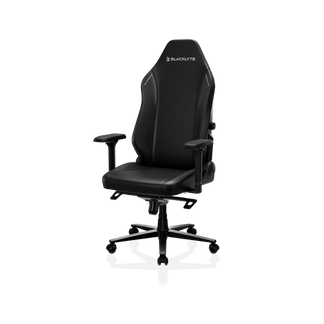
Blacklyte offers gaming chairs with different support systems, cushioning designs, and upholstery options. When comparing models, consider these features alongside the published dimensions to determine whether a chair suits your body and setup.
Blacklyte Athena Pro Gaming Chair
The Blacklyte Athena Pro Gaming Chair features a four-way adjustable built-in lumbar support system, a dual magnetic head pillow, and dual-layer memory foam cushioning. Its FlexKnit and DuraGen material options provide different upholstery choices, depending on the selected configuration. The adjustable lumbar system allows you to fine-tune lower-back support to suit your preferred seating position. The Athena Pro is worth considering if adjustable lumbar support and cushioning are important to you.
However, these features do not establish whether the chair's seat is wide enough for a particular body type. If seat width is your main concern, check the model's usable seat width, seat depth, and other dimensions before purchasing.
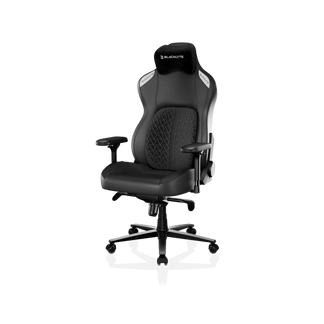
Blacklyte Kraken Pro Gaming Chair
The Blacklyte Kraken Pro Gaming Chair features DuraGen upholstery, a magnetic curved head pillow, and dynamic air lumbar support. These features offer a different approach to back support and seating comfort from the Athena Pro. When comparing the two models, consider which lumbar support design and cushioning feel best suited to your preferences.
If you are looking for a chair with more room, do not rely on the model name, appearance, or support features as a substitute for checking its actual dimensions. Compare the Kraken Pro's seat width, seat depth, seat height range, and rated weight capacity with your measurements before deciding whether it is the right fit.
Compare Before You Choose
The best chair for you is the one that combines suitable dimensions with the support features you value. Explore the Blacklyte Gaming Chairs Collection to review the available models and compare their specifications.
Before making a purchase, verify the usable seat width and other dimensions of your preferred model. Adjustable lumbar support, cushioning, and upholstery can influence your seating experience, but none of these features replaces the need to confirm that the chair fits your body.
Frequently Asked Questions
1. What Is a Good Seat Width for a Gaming Chair?
There is no single seat width that suits everyone. The right width depends on your seated hip and thigh measurements, the chair's side bolsters, and your preferred sitting position. Compare your measurements with the manufacturer's usable seat width and allow enough room for comfortable movement. Treat general size ranges as a starting point rather than a universal standard.
2. How Do I Measure the Usable Seat Width of a Gaming Chair?
Check the manufacturer's dimensions or product diagram to determine the width of the actual seating area. If the chair has raised side bolsters, the usable width may be smaller than the overall external width. If the product page does not clearly identify the usable seating area, contact the manufacturer before purchasing.
3. Is a Wider Gaming Chair Always More Comfortable?
No. A wider seat can provide more room for users who find narrower chairs restrictive, but a seat that is too wide may make it harder to position the armrests comfortably. The goal is to find a chair whose width, depth, height, and backrest design work with your body proportions and workstation.
4. Is a Big-and-Tall Gaming Chair the Same as a Wide Gaming Chair?
Not necessarily. A big-and-tall chair may be designed around a combination of seat dimensions, backrest size, and weight capacity. A wide gaming chair specifically emphasizes the available seating space, although the term is not a standardized measurement. Always check the manufacturer's actual specifications instead of relying on product labels alone.
5. What Should I Check Besides Seat Width?
Seat depth, seat height range, backrest dimensions, lumbar support, armrest adjustment, and rated weight capacity are all important. Also consider the chair's upholstery, cushioning, desk compatibility, and return policy. These factors help you evaluate the complete seating experience rather than focusing on a single measurement.
6. How Can I Tell Whether a Gaming Chair Will Fit Before Ordering?
Measure your seated hip and thigh width, compare it with the chair's usable seat width, and review the seat depth and height range. Check the side bolsters and other dimensions using the manufacturer's product diagrams. If a critical measurement is missing, ask the manufacturer or seller to confirm it before purchasing. Where possible, review the return policy in case the chair does not fit as expected.


