













Beyond Aesthetics: Why a True Ergonomic Gaming Chair is Your Ultimate Performance Blueprint
If you're a competitive esports player, a dedicated streamer, or a remote professional who spends long hours at a desk, choosing the right chair can make a meaningful difference to your everyday comfort. A well-designed ergonomic gaming chair goes beyond racing-inspired aesthetics. It combines adjustable support, considered seat design, and durable materials to help you maintain a more comfortable sitting posture throughout extended gaming or work sessions. The right seating setup can help reduce unnecessary pressure and discomfort, allowing you to stay focused on the task at hand.
The Biomechanics of Sitting: Decoding True Ergonomics
Many gaming chairs emphasize visual design, but appearance alone does not determine how well a chair supports your body. Sitting for extended periods in a poorly adjusted chair may encourage slouching and place additional strain on the lower back, shoulders, and surrounding muscles.
A thoughtfully designed ergonomic gaming chair addresses these challenges through several key features. Understanding the essential ergonomic gaming chair features can help you evaluate a chair beyond its appearance and identify the support that best suits your needs.
- Contoured Backrest Support: A backrest designed to follow the body's natural shape can provide more consistent support for the back, including the lumbar region.
- Adjustable Seating Positions: Recline and other adjustable features allow you to change positions throughout the day rather than remaining in one posture for extended periods.
- Balanced Seat Support: A well-proportioned seat and supportive cushioning help distribute body weight across the seating surface and improve overall comfort.
These features work together to create a more supportive seating experience. However, no chair can eliminate all the effects of prolonged sitting. Taking regular movement breaks and adjusting your workstation to suit your body are also important parts of a comfortable daily setup.
The Engineering Standards of Premium Seating
When comparing premium gaming chairs, look beyond appearance and consider the specifications that affect adjustability, stability, and everyday usability. Construction quality, verified component specifications, and a suitable range of adjustments can help you choose a chair that meets your needs over time.
Advanced Mechanical Adjustability
A versatile gaming chair should offer a recline mechanism that lets you move between an upright working position and a more relaxed seated posture. Check the manufacturer's stated recline range rather than assuming every chair offers the same adjustment. Adjustable armrests are also worth considering: depending on the model, they may allow changes to height, depth, width, or angle to better accommodate your desk position and preferred sitting posture.
The goal is to find a configuration that lets you keep your shoulders relaxed, your arms comfortably supported, and your feet stable on the floor or a footrest. The appropriate adjustments will depend on your body proportions, desk height, and how you use your setup.
Certified Structural Integrity
A chair's long-term usability depends on the quality of its frame, base, gas lift, and other load-bearing components. Where available, check the manufacturer's documentation for specific component certifications, safety standards, and load-capacity information. For example, an SGS certification should be understood in the context of the particular component or test covered, rather than as a blanket guarantee of the entire chair's performance.
Material choice also affects everyday comfort and maintenance. Breathable fabrics, durable upholstery, and resilient cushioning can all contribute to a chair's suitability for frequent use. Compare the actual specifications of each model to determine which combination best matches your priorities.
Choosing Your Perfect Setup: The Choice Blueprint
The right chair depends on your body proportions, preferred sitting position, and daily routine. Explore the Blacklyte Gaming Chairs Collection to compare designs, support features, and materials before choosing a model for your gaming or work setup.
The Flagship Standard: Maximum Adaptability
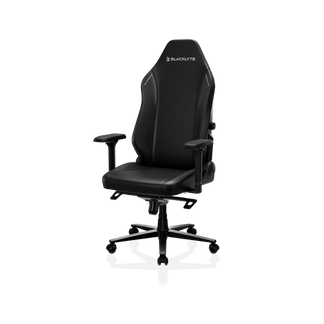
For users who prioritize personalized back support and a more adjustable seating experience, the Blacklyte Athena Pro Gaming Chair offers an integrated, four-way adjustable lumbar support system. This allows you to fine-tune the support to suit your preferred seating position. Its FlexKnit and DuraGen materials, dual magnetic head pillow, and dual-layer memory foam are designed to balance support and comfort during extended sessions. Rather than relying on appearance alone, consider how the chair's adjustment options, cushioning, and back support fit your individual needs.

The Endurance Standard: Heavy-Duty Comfort
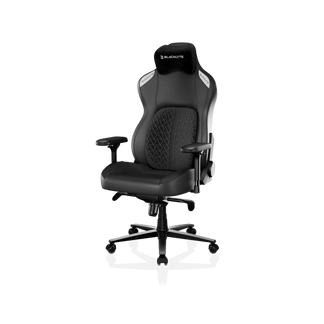
For users who prioritize cushioned comfort and responsive lumbar support, the Blacklyte Kraken Pro Gaming Chair features DuraGen upholstery, a magnetic curved head pillow, and dynamic air lumbar support. These design elements provide a combination of cushioning and back support for gaming, streaming, and other desk-based activities.
When comparing the Kraken Pro with other models, consider the feel of the cushioning, the available adjustments, and how the seat dimensions suit your body. The best fit is one that supports your preferred posture without restricting comfortable movement.
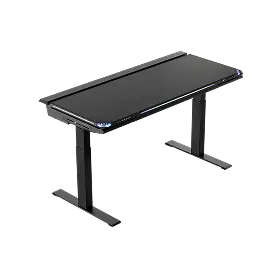
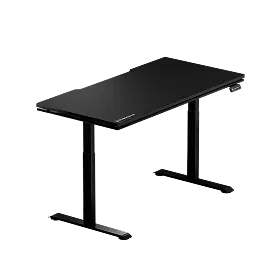
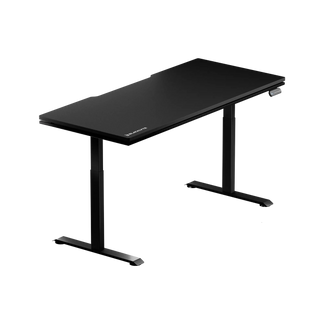
Pro Ergonomic Tip: Your chair is only one part of your workstation. Pair it with a height-adjustable desk, such as the Blacklyte Atlas Gaming Desk, to make it easier to alternate between sitting and standing. Changing positions regularly can help break up long periods of sedentary work. Adjust both your chair and desk so your screen, arms, and working surface are positioned comfortably.
Verifiable Trust and Care Blueprint
A premium gaming chair is a long-term purchase, so consider more than its initial appearance. Review the manufacturer's published specifications, warranty terms, upholstery options, and care instructions before making a decision. Materials such as hybrid leatherette and woven fabrics can offer different combinations of texture, breathability, and ease of cleaning, so the best choice depends on your environment and preferences.
To keep your chair in good condition, follow these practical maintenance steps:
- Upholstery Care: Remove dust and surface marks with a soft cloth, following the cleaning instructions for your chair's specific material. Avoid harsh cleaners unless the manufacturer confirms they are suitable.
- Hardware Check: Periodically inspect accessible screws and fittings according to the manufacturer's maintenance guidance. Tighten components only as directed.
- Caster Cleaning: Remove hair and debris from the casters when needed to help maintain smooth movement and reduce unnecessary wear.
By prioritizing suitable adjustments, reliable construction, and regular maintenance, you can create a gaming or work environment that better supports your everyday comfort and concentration.
Frequently Asked Questions
1. What makes a gaming chair ergonomic compared to a standard office chair?
An ergonomic gaming chair typically combines a supportive backrest, adjustable seating positions, and features such as adjustable armrests and lumbar support. However, gaming and office chairs vary considerably by model. Compare their actual dimensions, adjustment options, cushioning, and support features to find one that fits your body and workstation.
2. How does an adjustable lumbar support system help with sitting comfort?
An adjustable lumbar support system lets you change the level or position of support around your lower back. When properly adjusted, it can help the backrest fit your body more comfortably and make it easier to maintain your preferred sitting posture. Individual needs vary, and a chair should not be considered a treatment for persistent back pain.
3. Why are adjustable armrests important for computer ergonomics?
Adjustable armrests help you position your arms more comfortably in relation to your desk. Depending on the chair, adjustments may include height, depth, width, or angle. Aim for a position that allows your shoulders to remain relaxed and your forearms to rest comfortably while you use your keyboard and mouse.
4. Is cold-cure foam better than standard cushion padding?
Yes. High-density cold-cure foam is molded under lower temperatures with built-in air pockets, offering a firm yet comfortable feel. It distributes body weight evenly and retains its original shape over years of heavy daily use, unlike cheap padding that quickly compresses and flattens out.
5. Why should I combine an ergonomic chair with a height-adjustable desk?
A height-adjustable desk makes it easier to alternate between sitting and standing during the day. Combined with a properly adjusted chair, it gives you more flexibility to change positions and adapt your workstation to different tasks. Neither product replaces regular movement breaks, but together they can help create a more adaptable workspace.


