













Best Gaming Chair for Back Support: Top Ergonomic Picks for Spine Health
Spending hours gaming or working at a desk makes your choice of chair important. A well-fitted gaming chair can provide comfortable back support, help you maintain a relaxed sitting position and give you more control over how you sit throughout the day.
But what makes a gaming chair good for back support? It is not simply a thick cushion or a high backrest. Features such as adjustable lumbar support, seat depth, cushioning, recline and armrest positioning all contribute to how a chair fits your body.
In this guide, we explain what to look for in a gaming chair for back support, compare the support designs of the Blacklyte Athena Pro and Kraken Pro, and share practical tips for adjusting your chair to suit your setup.
What Makes a Gaming Chair Good for Back Support?
The best gaming chair for your needs is one that fits your body, supports a comfortable sitting position and allows you to make adjustments throughout the day. Rather than focusing on a single feature, consider how the entire chair works together.
1. Adjustable Lumbar Support
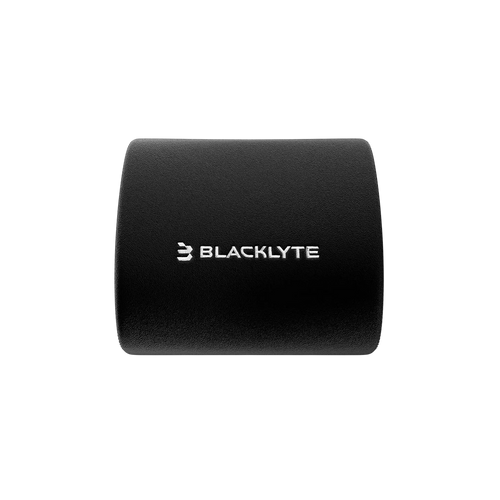
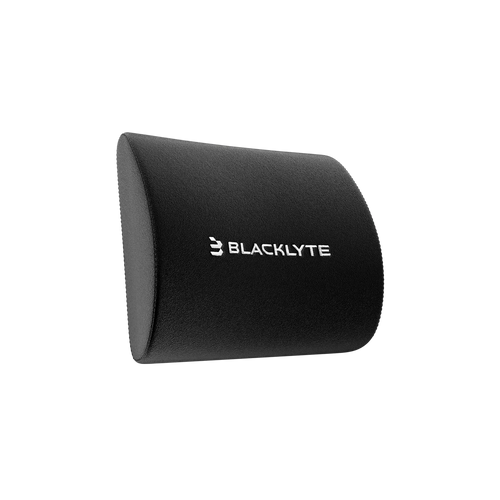
Lumbar support is designed to support the natural inward curve of your lower back. Gaming chairs use different approaches, from removable lumbar pillows to built-in adjustable systems and dynamic support mechanisms.
When comparing a gaming chair with lumbar support, consider the following:
- Positioning: Can you place the support where it feels comfortable against your lower back
- Adjustability: Can you change its position or level of support to suit your sitting posture
- Stability: Does the support stay in a comfortable position when you lean back or change position?
- Personal fit: Does the design work with your height, torso length and preferred sitting position?
A removable pillow offers flexibility in placement, while a built-in adjustable system can provide more integrated positioning. Dynamic lumbar support offers a different approach by responding to changes in your sitting position. No single design is right for everyone. The most important consideration is whether the support fits your body comfortably.
2. Seat Height and Depth
Lumbar support cannot compensate for a seat that does not fit properly. Seat height and depth influence how comfortably you can position your legs and sit against the backrest.
A suitable seat should allow you to:
- Keep your feet flat on the floor or supported by a footrest.
- Sit back against the backrest without feeling pushed forward.
- Support your thighs without excessive pressure behind your knees.
- Adjust your position without constantly sliding forward or leaning towards the desk.
If the seat is too high, your feet may lose contact with the floor. If it is too deep, you may struggle to sit fully back against the backrest. These fit issues can make it harder to find a comfortable position, even when the chair has advanced lumbar features.
3. Backrest Recline and Movement
A reclining backrest lets you change your sitting angle rather than remaining in one fixed position. This can be useful when switching between focused gameplay, reading, watching videos and taking a break.
Look for a recline mechanism that is easy to adjust and provides stable support at the angles you prefer.
A rocking or tilt function can offer additional movement, depending on the chair design. However, a greater recline range does not automatically mean better back support. The fit of the chair, the way it supports your body and your ability to change positions are equally important.
4. Seat Cushioning and Material
Seat cushioning affects how a chair feels during extended use. Both the firmness and the shape of the cushion matter, and preferences vary between individuals.
Memory foam can provide a cushioned seating surface, while layered foam constructions can combine different levels of softness and support. Breathable upholstery may also be worth considering if you spend long periods at your desk.
There is no universally ideal firmness for back support. A cushion that feels comfortable to one person may feel too firm or too soft to another. Whenever possible, assess the chair's dimensions, materials and return policy before buying.
5. Adjustable Armrests
Armrests can help you position your arms comfortably while using a keyboard, mouse or controller. Ideally, they should allow your shoulders to remain relaxed, with your elbows resting comfortably near your sides. Armrests that are too high may cause your shoulders to rise, while those that are too low may offer little useful support.
Adjustable armrests can make it easier to align your chair with your desk and preferred gaming position. This is especially useful when switching between different activities at the same workstation.
Best Gaming Chairs for Back Support: Blacklyte Picks
Different lumbar support systems suit different preferences. The Blacklyte Athena Pro and Kraken Pro offer two distinct approaches worth comparing when choosing a gaming chair for back support.
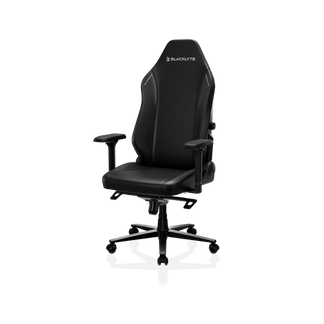
Blacklyte Athena Pro: Four-Way Built-In Lumbar Support
The Blacklyte Athena Pro features a four-way built-in adjustable lumbar support system, allowing users to adjust support to suit their preferred sitting position. Its support system is integrated into the chair rather than relying solely on a separate lumbar pillow. This makes it an option worth considering if you prefer a built-in design with multiple adjustment directions.
Other features include:
- Four-way adjustable lumbar support: Adjust the built-in support to find a comfortable position.
- Dual-layer memory foam cushioning: Combines two foam layers to create a cushioned seating experience.
- Dual magnetic head pillow: Provides a removable head pillow that can be positioned to suit your preference.
- 4D adjustable armrests: Allow adjustments to armrest position for different desk and gaming setups.
- FlexKnit and DuraGen materials: Combine different upholstery materials within the chair's design.
The Athena Pro is worth exploring if you want an integrated lumbar support system with multiple adjustment options, alongside cushioning and armrest customisation.
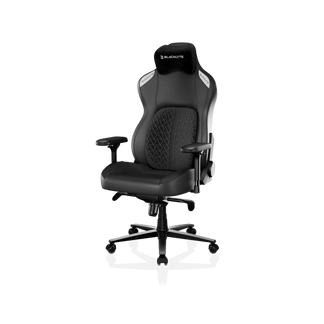
Blacklyte Kraken Pro: Dynamic Floating Lumbar Support
The Blacklyte Kraken Pro takes a different approach with its dynamic floating lumbar support system. Rather than relying on a conventional standalone pillow, the design is intended to respond to changes in the user's sitting position.
This offers an alternative for users who want to explore a dynamic support mechanism rather than a four-way adjustable built-in system.
Key features include:
- Dynamic floating lumbar support: A support design intended to move with changes in sitting position.
- High-density memory foam cushioning: Provides a cushioned seating surface.
- Curved magnetic head pillow: Offers a removable head pillow with a curved design.
- Adjustable armrests: Allow users to customise arm positioning.
- DuraGen upholstery: Provides the chair's specified upholstery material.
The Kraken Pro is worth considering if you prefer the concept of dynamic lumbar support and want to compare it with a more directly adjustable system.
Athena Pro vs Kraken Pro: Which Should You Choose?
| Feature | Athena Pro | Kraken Pro |
| Lumbar support |
Four-way built-in lumbar support
|
Dynamic floating lumbar support
|
|
Cushioning
|
Dual-layer memory foam
|
High-density memory foam |
| Head pillow |
Dual magnetic head pillow
|
Curved magnetic head pillow
|
|
Main point of comparison
|
Multiple directions of lumbar adjustment
|
Dynamic support mechanism
|
|
What to prioritise
|
Control over lumbar support positioning
|
Preference for a dynamic support design
|
Neither chair is automatically the better choice for every user. Consider how each lumbar mechanism works, whether the chair's dimensions suit your body and which cushioning and adjustment features you value most.
For the most accurate comparison, check the current product specifications and available configurations before purchasing.
How to Adjust Your Gaming Chair for Better Back Support
Even a gaming chair with adjustable lumbar support needs to be set up correctly. Small changes to seat height, seat depth, backrest position and armrests can make a difference to how comfortable your workstation feels.
1. Set the Seat Height
Adjust the seat so your feet rest comfortably on the floor or a footrest. Your legs should feel relaxed rather than suspended or compressed. Position your chair close enough to the desk that you can reach your keyboard and mouse without repeatedly leaning forward.
2. Check the Seat Depth
Sit back against the backrest and check the space between the front edge of the seat and the back of your knees. The seat should support your thighs without pressing tightly behind your knees. If you cannot sit comfortably against the backrest, consider whether the seat depth and overall chair dimensions are suitable for your body.
3. Position the Lumbar Support
Adjust the lumbar support until it feels comfortable against the lower curve of your back. Avoid positioning it so high, low or firmly that it forces you into an uncomfortable posture. If the chair uses a removable pillow, experiment with its placement. If it uses an adjustable built-in system, make gradual changes to find a comfortable setting. For dynamic systems, assess how the support feels while sitting upright and reclining. The goal is comfortable support, not a rigidly fixed position.
4. Align the Armrests with Your Desk
Position the armrests so your shoulders can remain relaxed and your elbows stay comfortably near your sides. Your desk, keyboard and mouse should be within easy reach. If your armrests prevent you from getting close enough to the desk, adjust them where possible rather than leaning forward to compensate.
5. Adjust the Recline
Choose a backrest angle that feels comfortable for your activity. You may prefer a more upright position for focused tasks and a more reclined position when relaxing. Avoid assuming that one angle is ideal for everyone. Experiment with the chair's available adjustments and change your position when needed.
6. Change Position and Take Regular Breaks
No chair can eliminate the need for movement. Even when your workstation is well adjusted, vary your sitting position and take regular breaks from prolonged sitting. Standing up, walking briefly and changing activities can help you avoid remaining in one position for too long.
How to Choose a Gaming Chair for Your Needs
For Competitive Gaming and Desk Work
If you alternate between competitive gaming, general computer use and longer desk sessions, prioritise a chair that fits your body and provides practical adjustments. Check the lumbar support mechanism, seat dimensions, armrest range and recline controls. These features can help you adapt the chair to different activities without relying on appearance alone.
For Different Body Sizes
Chair dimensions matter as much as the feature list. Compare the seat width, seat depth, backrest dimensions and manufacturer's recommended user limits with your own requirements.
A chair described as ergonomic is not necessarily suitable for every body type. If you need a wider seat or a particular weight capacity, verify those specifications directly rather than relying on a product label.
For People Who Experience Back Discomfort
If you experience back discomfort, look for a chair that allows comfortable adjustments and supports your preferred sitting position. Avoid assuming that a particular lumbar design, cushion firmness or recline angle will resolve the underlying cause.
Persistent, worsening or concerning back symptoms should be discussed with a qualified healthcare professional. A gaming chair is a seating product, not a treatment for back pain or spinal conditions.
Common Mistakes When Choosing a Gaming Chair for Back Support
Choosing Appearance Over Fit
A high backrest, bold design or premium upholstery does not guarantee that a chair will fit your body. Check the actual dimensions and adjustment options before deciding.
Assuming More Lumbar Support Is Always Better
A stronger or more prominent lumbar feature is not necessarily more comfortable. The support should feel appropriate for your body and should not force you into an uncomfortable position.
Ignoring Seat Dimensions
Even a chair with an advanced lumbar mechanism may feel unsuitable if the seat is too deep, too shallow or too narrow for you.
Expecting a Chair to Replace Movement
A supportive chair can help you find a comfortable sitting position, but prolonged sitting still needs to be broken up with movement and changes in posture.
Buying Without Checking the Specifications
Compare the manufacturer's stated features, dimensions, adjustment mechanisms, weight limits and warranty terms. Do not assume that all gaming chairs within the same price category offer the same level of adjustability.
Frequently Asked Questions
1. Is a gaming chair with lumbar support better than one with a pillow?
Neither design is automatically better for everyone. A removable pillow offers flexibility in placement, while a built-in adjustable system may provide more integrated control. Dynamic systems offer another approach. Choose the option that fits your body and feels comfortable when adjusted.
2. Can a gaming chair help with lower back discomfort?
A well-fitted chair with suitable adjustments may make sitting more comfortable, but it cannot guarantee pain relief or treat an underlying medical condition. If discomfort persists or worsens, seek advice from a qualified healthcare professional.
3. How should I adjust my gaming chair for back support?
Start with the seat height and depth, then position the lumbar support so it feels comfortable against your lower back. Adjust the armrests to keep your shoulders relaxed and set the recline to a comfortable angle. Change position regularly rather than remaining still for hours.
4. Is a firm or soft gaming chair better for back support?
There is no universally ideal firmness. Comfort depends on the cushioning design, body shape, seat dimensions and personal preference. Look for a seat that supports you comfortably without creating excessive pressure.
5. What is the difference between adjustable and dynamic lumbar support?
Adjustable lumbar support allows you to change the position of the support mechanism. Dynamic lumbar support is designed to respond to movement or changes in sitting position. The exact behaviour depends on the chair's construction, so check the manufacturer's specifications.
6. Is an ergonomic gaming chair suitable for working from home?
It can be, provided the chair fits your body and workstation and offers the adjustments you need. Seat height, armrest positioning, desk alignment and comfort during different activities are all worth considering.
Find the Right Blacklyte Gaming Chair for Your Setup
Choosing a gaming chair for back support starts with fit, adjustability and comfort rather than a single headline feature. The Blacklyte Athena Pro offers four-way built-in adjustable lumbar support, while the Kraken Pro features a dynamic floating lumbar support system. Comparing these designs alongside seat dimensions, cushioning and armrest adjustments can help you decide which approach best suits your preferences. Explore the Blacklyte range and compare the specifications before choosing a chair for your gaming or work setup.


