











Best Chairs for Back Pain: Office, Gaming, and Hybrid Picks
Back pain doesn't always come from a dramatic injury. It can build gradually after long hours at a desk, during extended gaming sessions, or when the same chair is used for both work and relaxation. For many people in the UK working from home, gaming, or combining the two, the chair they use throughout the day can have a significant impact on posture and everyday comfort.
Whether you're grinding through a full workday at a desk, deep in a marathon gaming session, or doing both in the same seat, the chair underneath you has an outsized influence on your spinal health. The good news: the right chair doesn't just reduce back pain — it actively supports your posture, distributes your weight properly, and helps you perform better over time. The challenge is knowing which features actually matter, and which are just marketing noise.
This guide breaks down the best chairs for back pain across three real-world use cases — office work, gaming, and hybrid setups — with an honest look at the features that make the difference, and a spotlight on how Blacklyte's ergonomic chair lineup is engineered specifically to address the root causes of seated discomfort.
Why Your Chair Is a Back Pain Problem (or Solution)
The human spine has a natural S-curve — a lumbar lordosis in the lower back and a thoracic kyphosis in the upper back. When you sit unsupported, that natural curve collapses. Your pelvis tilts backward, your lumbar spine flattens, and your upper back rounds forward. Over hours, this compresses spinal discs, strains the erector spinae muscles, and creates the chronic tension pattern that most people recognize as "sitting too long."
A well-designed chair doesn't just give you somewhere to sit. It maintains the natural curvature of your spine, supports your pelvis in a neutral position, and distributes pressure evenly across your seat and backrest. The difference between a chair that causes pain and one that prevents it comes down to a handful of engineering decisions — and understanding those decisions is the first step to buying the right one.
What to Look for in a Chair for Back Pain
Not every ergonomic feature is equally important for spinal health. Before evaluating any specific model, it helps to understand what the research and ergonomics community actually prioritizes for back pain relief and prevention.
Lumbar Support Quality
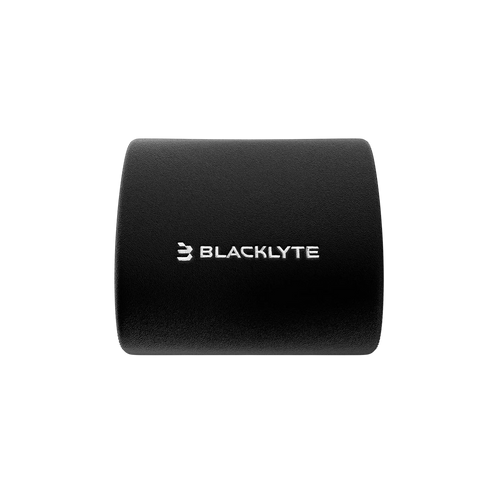
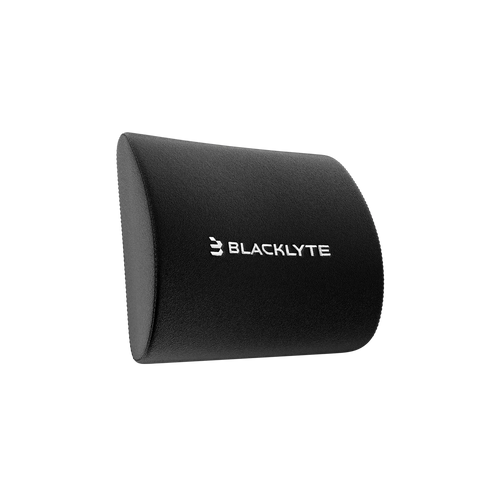
Lumbar support is the single most impactful feature for lower back pain. The key distinction is between passive and active lumbar systems. A passive system — like a fixed foam ridge or a removable pillow — provides support only in one position. An active system adjusts in height and/or depth to match your unique spinal curve, which varies significantly from person to person. For genuine back pain relief, look for lumbar support that can be tuned to your body, not just positioned in a general zone.
Seat Foam Density and Shape
Seat cushion quality is often overlooked, but it directly affects how pressure is distributed across your sit bones and thighs. High-density foam — generally in the range of 45 kg/m³ or higher — retains its shape under sustained load, preventing the "bottoming out" effect that puts pressure directly on your pelvis. Contoured seat pans with a waterfall front edge further reduce circulation-restricting pressure behind the knees.
Height Adjustability and Armrest Configuration
Proper seated posture requires your feet to rest flat on the floor with knees at roughly 90 degrees, and your elbows to be supported at desk height. A chair with wide height-adjustment range serves more body types, while 4D armrests (adjustable in height, width, depth, and angle) allow you to position your arms so your shoulders aren't hunched or shrugged — a common driver of upper back and neck tension.
Recline Range and Tilt Mechanism
Static sitting — holding one posture for hours — is actually harder on your spine than dynamic sitting that shifts positions throughout the day. A chair with a meaningful recline range (ideally allowing you to move between an upright working posture and a relaxed reclined position) encourages natural micro-movement. Tilt tension adjustment lets you control how much resistance you feel when leaning back, which matters for both comfort and core engagement.
Best Office Chairs for Back Pain
Traditional office chairs designed for back pain prioritise sustained support during long periods of desk work, including typing, video calls, reading and focused tasks. For UK home offices and hybrid workspaces, ergonomic support, breathable materials and practical adjustability are especially important when the same chair is used throughout the working day.
The best office chairs for back pain typically feature breathable mesh or fabric backrests, adjustable lumbar support and supportive seat cushions that maintain their shape throughout a full working day. Look for a recline mechanism that allows you to change position without losing lumbar contact, along with adjustable armrests that can accommodate different desk heights and monitor setups.
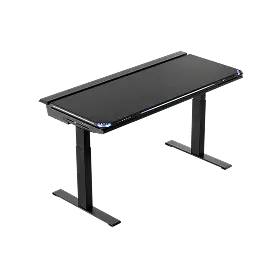
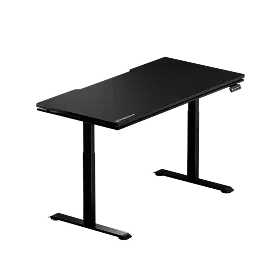
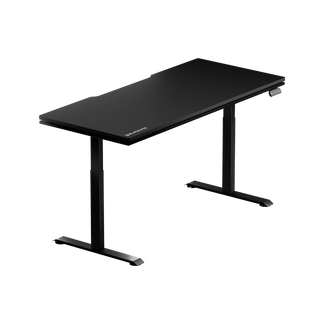
For UK home offices where space needs to work for both sitting and standing, pairing an ergonomic chair with a height-adjustable desk can make it easier to alternate between seated and standing work throughout the day, which is one of the most evidence-backed strategies for reducing chronic back pain associated with sedentary work.
Best Gaming Chairs for Back Pain
Gaming chairs have evolved considerably, particularly as more UK gamers use the same setup for gaming, working from home and everyday computer use. Earlier designs often focused more on racing-style aesthetics than ergonomic support, while modern gaming chairs increasingly combine adjustable lumbar support, supportive cushioning and flexible recline mechanisms.
What separates a genuine ergonomic gaming chair from one that just looks the part? The backrest should make full contact with your entire spine — not just the upper back — and lumbar support should be adjustable, not just a pillow that wedges into a generic position. Seat foam density matters enormously here; gaming sessions regularly exceed four to six hours, and a seat that softens under sustained use will create the same postural collapse as sitting on a flat, unsupported surface.
The recline mechanism is also more important for gaming than for office work. Gaming naturally involves more variation in posture — leaning forward during intense moments, reclining during cutscenes or loading screens. A chair that allows smooth, controlled recline from an upright position to a relaxed angle gives you that flexibility without forcing you into an all-or-nothing posture. You can explore Blacklyte's full range of ergonomic gaming chairs at the gaming chairs collection.
Hybrid Picks: When Work and Play Share the Same Seat
For many UK users, particularly those working from home or using one setup for both work and gaming, a single chair needs to support professional productivity as well as extended gaming sessions. Streamers, students and hybrid workers may spend much of the day at the same desk, making adjustability and long-session comfort particularly important.
A true hybrid chair balances the refined lumbar support and breathability expectations of an office user with the durability, recline range, and aesthetic energy of a gaming chair. The material choice becomes especially important: a chair upholstered in a performance fabric sits more comfortably across a full twelve-hour hybrid day than one in faux leather that traps heat. Adjustability across every axis — armrest position, recline tension, lumbar placement — is non-negotiable, because the same chair needs to support an upright typing posture in the morning and a relaxed reclined posture in the evening.
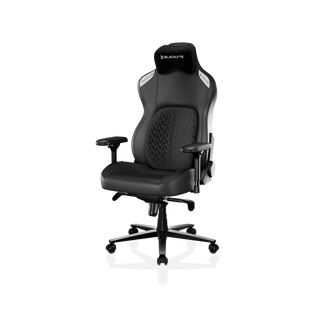
Blacklyte's lineup is inherently designed for this hybrid use case. Their chairs are engineered for both intense gaming sessions and productive workstation use, which is reflected in both their feature sets and the materials chosen for long-session comfort. Use the chair comparison tool to match the right model to your specific hybrid needs.
How Blacklyte's Lineup Addresses Back Pain
Blacklyte's three current chair models — the Kraken Pro, the Athena Pro, and the Athena — each address back pain through different combinations of features, making them suited to different user profiles and session lengths. Here's how they break down.
Kraken Pro: Premium Support for High-Intensity Sessions
The Kraken Pro is Blacklyte's premium high-end offering, engineered specifically for the rigors of intense, extended gaming. Its built-in floating lumbar system provides front/back fine adjustment with a locking mechanism, allowing you to set your ideal lumbar depth and hold it precisely — useful when you're locked into a session and don't want your support shifting. The seat uses high-density contour foam with a contoured backrest, an aluminum alloy base, and a Class 4 hydraulic gas piston for smooth, reliable height adjustment. The Kraken Pro's recline spans 90°–149°, supporting everything from an aggressive upright competitive posture to a genuinely relaxed lean-back. Combined with 4D armrests and Blacklyte's frog-type tilt mechanism with adjustable tension, it gives you the postural flexibility that long gaming sessions require.
Athena Pro: The Flagship for Maximum Lumbar Precision
The Athena Pro is Blacklyte's flagship chair and their most sophisticated answer to chronic back pain. Its built-in 4-way adjustable lumbar system moves both up/down and front/back, allowing you to dial in your support to match your exact spinal curve — something a fixed lumbar pad or generic pillow simply cannot achieve. The seat uses a memory foam layer over a contour-foam core, infused with bamboo charcoal and silver ions for temperature regulation and hygiene. The high-density cold-cure foam maintains its shape and support under sustained use. The aluminum alloy 5-star base adds stability and longevity, and 4D armrests across the lineup give you precise shoulder and elbow positioning to eliminate upper back tension caused by poorly supported arms.
Athena: Entry-Level Access to Ergonomic Fundamentals
The Athena brings Blacklyte's ergonomic engineering to an entry-level price point without abandoning the fundamentals that actually matter for back pain. It ships with an external lumbar pillow for adjustable lower back support, a contour foam seat, 4D armrests, and an aluminum alloy 5-star base. It reclines across the same 90°–149° range as the rest of the lineup and uses the same Class 4 hydraulic gas piston mechanism. For users stepping up from a non-ergonomic chair for the first time, the Athena delivers a meaningful improvement in spinal support without requiring a flagship investment. Browse the full range and compare models at Blacklyte's complete product collection.
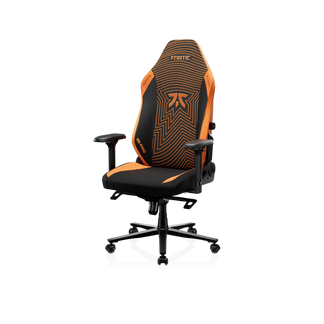
All three chairs are backed by warranties extendable up to 5 years (for chairs), free shipping, and a 30-day easy return policy — so the decision to invest in your posture comes with real protection. Blacklyte's chairs are trusted by over 200,000 users across 50+ Countries & Regions, with esports partnerships spanning tournament organizer BLAST, and team partners including Team Liquid and Fnatic.
Beyond the Chair: Posture Habits That Amplify Results
Even the best chair in the world has limits if the habits around it work against your posture. A few consistent practices will significantly amplify the results you get from upgrading your seat.
- Set your chair height first. Your feet should rest flat on the floor (or a footrest), with your knees at approximately 90 degrees. Everything else — monitor height, armrest position, lumbar placement — should be calibrated from this baseline.
- Position your lumbar support at your lumbar curve, not your mid-back. The lumbar region sits above your waistband, typically between L1 and L5 vertebrae. Support placed too high just pushes your upper back forward without helping the lower back.
- Take a standing or movement break every 45–60 minutes. Even with a well-adjusted ergonomic chair, sustained static posture accumulates fatigue. A brief walk, stretch, or time at a standing desk resets muscle tension and spinal disc pressure.
- Adjust tilt tension to allow micro-movement. A tilt mechanism set too stiff prevents the natural postural shifts your body makes throughout the day. Allow some give so you can move dynamically without committing to a full recline.
Blacklyte's ergonomics resource hub and Gaming Hub go deeper on setup optimization for both work and play — covering monitor placement, desk height, and full workstation configuration to complement whatever chair you choose.
Final Thoughts
Back pain from sitting is not inevitable, but it is almost certain if you're spending hours in a chair that wasn't designed to support your spine. The best chairs for back pain — whether you need them for office work, marathon gaming, or both — share a common foundation: adjustable lumbar support that fits your body, high-density foam that holds its shape over time, and a tilt and recline system that encourages natural movement rather than locking you into one static position.
Blacklyte's lineup covers that foundation across every tier, from the entry-level Athena through to the flagship Athena Pro, with the Kraken Pro serving users who demand premium performance for extended, high-intensity sessions. With 20 years of ergonomic engineering expertise, 200,000+ satisfied users, and real commitments to quality through extended warranties and easy returns, Blacklyte offers a compelling case for anyone who's ready to stop treating back pain as an inevitability and start treating their setup as the performance tool it can be.
Ready to Find Your Perfect Chair?
Not sure which Blacklyte chair is right for your back pain, body type, and setup? Our team is here to help you navigate the options and find the right fit.
Contact Us — or compare Blacklyte's gaming chairs in the UK and use the Chair Comparison Tool to match specifications to your needs.


